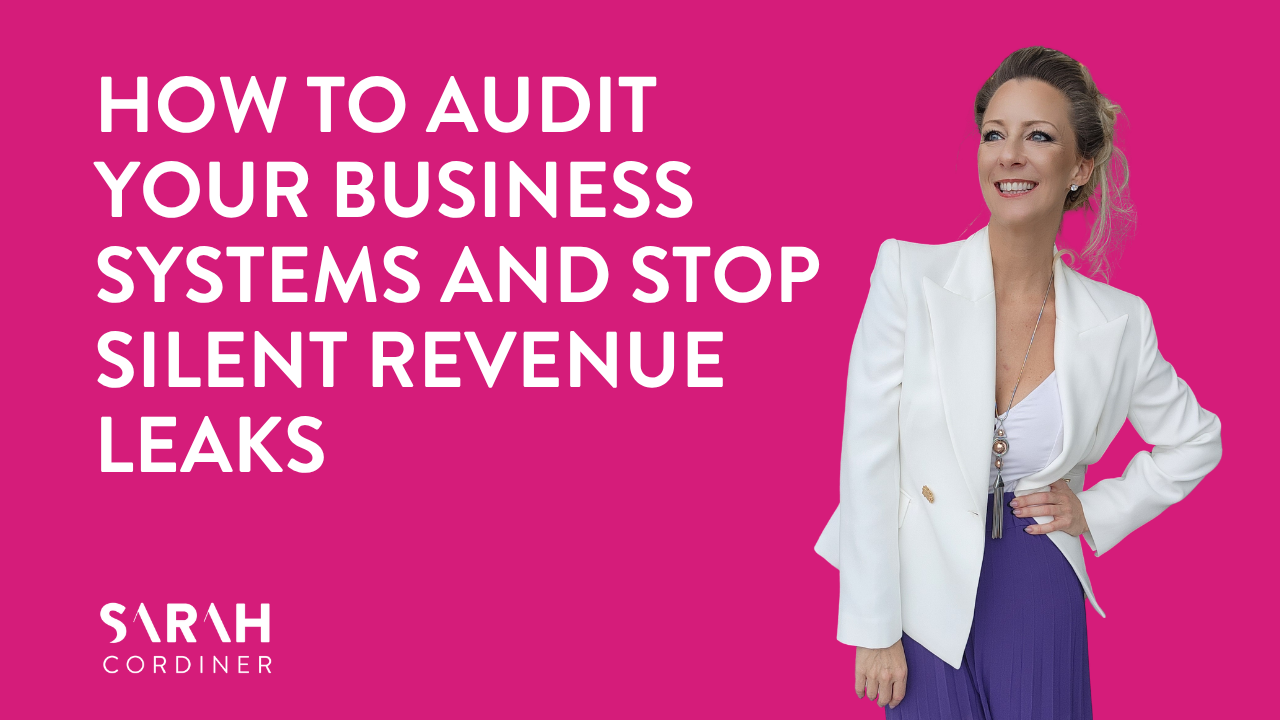
How to Audit Your Business Systems and Stop Silent Revenue Leaks
Introduction
You’re not bad at marketing.
You might just be drowning in messy systems, confusing offers, broken links, unclear pricing, outdated templates, poor follow-up and too many moving parts that are quietly leaking cash from your business every single day.
And here is the annoying part.
Most of these revenue leaks are not dramatic.
They do not always look like a failed launch, a bad sales call or an empty checkout page.
Sometimes they look like:
- A pricing button going to the wrong checkout
- An email footer linking to an old page
- A subject line using words your customers do not understand
- A confusing offer with too many options
- A cancellation process with no downgrade option
- A sales email that never gets resent to people who missed it
- A broken personalisation tag that says “Hi ,”
Tiny things.
Boring things.
The unsexy operational stuff that no one wants to look at.
But this is often where the money is hiding.
A proper business systems audit helps you find the gaps, clean up the chaos and turn the things that have been annoying you for months into actual revenue opportunities.
This is especially powerful at the end of financial year, but honestly, you can do this at any time your business feels messy, heavy or harder than it needs to be.
In this article, I’ll walk you through how to audit your business systems, improve email performance, clarify your offers, fix broken links, reduce churn, tighten compliance and clean up the operational gaps that could be costing you sales.
Let’s fix the boring stuff that is silently leaking cash.
What Is a Business Systems Audit?
A business systems audit is a practical review of the tools, links, emails, offers, automations, sales pages, customer journeys and operational processes that run your business.
It is not just a tech audit.
It is not just a marketing audit.
It is a revenue protection exercise.
Because your systems are the invisible engine behind your business. When they are clean, simple and connected, people can find you, understand you, trust you, buy from you and stay with you.
When they are messy, people get confused, hesitate, drop off or cancel.
A business systems audit looks at things like:
- Email campaigns and subject lines
- Sales pages and checkout links
- Offer positioning and deadlines
- Pricing clarity
- Footer links and social icons
- Personalisation tags
- Customer cancellation reasons
- Downgrade and retention options
- Compliance requirements
- Website and funnel performance
- Support and onboarding processes
The goal is simple.
Find the leaks. Fix the friction. Make it easier for people to buy and stay.
Why End of Financial Year Is the Perfect Time to Clean Up Your Business Systems
End of financial year is a brilliant excuse to tidy up what has been sitting in the “I’ll deal with that later” pile.
Most business owners use this time to look at numbers, invoices, tax, expenses and profit.
That matters.
But I also want you to look at the systems behind those numbers.
Because if your revenue is lower than you wanted, it may not mean your offer is wrong. It may mean the pathway to buying is broken.
If your email sales are lower than expected, it may not mean your audience is not interested. It may mean the subject line was unclear, the CTA was buried or half the list never opened the email.
If customers are cancelling, it may not mean they hate your product. It may mean they need a lower-cost option, a clearer onboarding path or a better reason to stay.
End of financial year gives you a natural reason to ask:
- Where are we losing sales?
- Where are customers getting confused?
- What links, pages or processes are outdated?
- What are people asking before they buy?
- Why are people cancelling?
- What can we simplify before the next quarter?
This is not about creating more work.
It is about removing the friction that is already costing you.
Start With Your Email Marketing Audit
Email is still one of the most powerful assets in your business, but only when your emails are clear, intentional and actually getting opened.
A lot of business owners think they need to write more emails.
Sometimes they do.
But very often, they need to get better results from the emails they have already written.
Resend Emails to People Who Did Not Open
One of the simplest ways to improve email performance is to resend a sales email to people who did not open the first one.
You are not spamming your entire list.
You are giving the people who missed it another chance to see it.
People miss emails for completely normal reasons. They are busy. They are travelling. They are with clients. They are doing school drop-off. Their inbox is chaos. Your email may have arrived at the wrong moment.
A resend to unopens can increase your total opens, clicks and sales without needing to create an entirely new campaign.
How to Implement a Resend to Unopens
Create a simple two-step email flow:
- Send Email 1 to your selected list.
- Wait 24 hours.
- Send Email 2 only to people who did not open Email 1.
- Change the subject line so it does not look like a duplicate or technical glitch.
- Keep the core offer the same, but slightly adjust the opening line.
For example:
Email 1 subject line:
“Want one month free on your annual plan?”
Email 2 subject line:
“Did you miss this EOFY business clean-up offer?”
The second email does not need to be wildly different. The goal is not to reinvent the campaign. The goal is to get more visibility for the same offer.
Improve Email Deliverability With Reply-Based CTAs
Replies are powerful.
When people reply to your emails, it can help signal that your emails are wanted and engaged with. It also creates real conversations with real prospects, which is where many sales actually happen.
Instead of only saying “click here to buy”, add a simple reply-based CTA.
For example:
“Hit reply if you have any questions and we’ll get back to you as soon as we can.”
Or:
“Not sure which option is right for you? Hit reply and tell us what you’re trying to set up.”
This feels more personal, reduces buying friction and gives hesitant buyers a way to start a conversation.
Do not make it feel like a support ticket.
Make it feel like a human invitation.
Clarify Your Offers Before You Send Another Sales Email
Confused people do not buy.
This is one of the most important rules in business.
You can have the best offer in the world, but if your email includes three offers, six links, two bonuses, a setup service, a demo option, a discount, a PS and a partridge in a pear tree, your reader may freeze.
When people freeze, they do nothing.
One Email Should Have One Main Offer
Every sales email should have one primary job.
That job might be:
- Sell an annual subscription
- Invite people to book a demo
- Promote a workshop
- Announce a deadline
- Offer a renewal bonus
- Reactivate cancelled customers
But it should not try to do all of those things at once.
If you have a main offer and an upsell, keep the upsell in the PS section.
For example:
Main email: Annual subscription offer with one month free and onboarding call.
PS: “We also currently have a special offer on our website building service. You can view the details here.”
That is enough.
The PS is there for the people who are interested, but it does not hijack the main message.
Sell Outcomes, Not Features
A lot of business owners accidentally write sales copy that only makes sense to them.
They use industry words, acronyms and feature names because they are close to the product.
But your customer is not lying awake dreaming about a CRM.
They are dreaming about a business that feels organised.
They want to stop missing leads.
They want their follow-up to happen automatically.
They want their website, emails, bookings, payments and customer communication in one place.
They want less chaos.
So instead of saying:
“Get our CRM with funnels, automations and pipelines.”
Say:
“Get your business organised, automated and easier to manage from one all-in-one business platform.”
Much clearer.
A good test is this: would someone outside your industry immediately understand what you mean?
If not, simplify it.
Use Specific Bonuses to Make the Offer Feel Stronger
Discounts can work, but a discount on its own is not always enough.
A strong bonus can make the offer feel more practical, more valuable and more urgent.
For example, instead of simply saying:
“Get an annual plan discount.”
You could position it as:
“Get one month free when you move to an annual plan, plus a complimentary 60-minute onboarding call to help you get set up properly.”
That combines two strong benefits:
- Save money
- Save time
People do not just want cheaper. They want easier.
A bonus that helps them implement the thing they just bought can be far more persuasive than a vague discount.
Make Pricing, Deadlines and Buying Decisions Obvious
One of the easiest ways to lose sales is to make people work too hard to understand the deal.
They should not have to guess the currency.
They should not have to calculate the deadline.
They should not have to hunt for the checkout link.
They should not have to wonder whether the offer applies to them.
Clarity sells.
Add a Hard Deadline
“Ending soon” is weak.
“Offer closes at midnight on 30 June” is clear.
When you are running a time-sensitive offer, include the full deadline in the body of the email, not only in the subject line.
Use clear language like:
“This offer is available until midnight AEST on 30 June.”
If you sell globally, include the timezone.
People should know exactly how long they have to decide.
Localise Your Pricing
If you serve Australian customers, do not assume they know whether your prices are in AUD or USD.
Put the currency beside the price everywhere it appears.
For example:
- $149 AUD per month
- $97 USD per month
- $1,200 AUD annually
This small detail can prevent checkout hesitation.
Nobody wants to get to the payment page and wonder, “Wait, is this in Australian dollars or US dollars?”
That moment of uncertainty can be enough to make them pause, leave or delay the purchase.
Offer a Demo Without Making It the Only Path
Some people will buy directly from the sales page.
Others need to see the product first.
A personal demo call can reduce friction for cautious buyers, especially if your product has multiple features or solves a complex problem.
The key is to make the demo optional.
Your main CTA might be:
“Click here to upgrade now.”
Then underneath, you can add:
“Would you like to see it first? Hit reply and we’ll help you book a personal demo.”
This gives confident buyers a fast path and cautious buyers a supported path.
Audit Your Website Links, Buttons and Footer
Broken links kill conversions.
So do outdated links, unsecured links, wrong checkout links and old social icons.
This is one of those boring jobs that can immediately protect revenue.
You do not need to redesign your entire website.
Start by checking the places people click before they buy.
Run a Monthly Link Audit
Set aside time once a month to check:
- Footer links
- Header links
- Pricing page buttons
- Checkout buttons
- Demo booking links
- Contact links
- Social icons
- Terms and privacy links
- Thank-you page buttons
- Email signature links
- Lead magnet links
- Calendar links
You are looking for three things:
- Does the link work?
- Does it go to the correct destination?
- Is the page secure and loading properly?
A button that goes to the wrong checkout can cost you sales immediately.
A footer link that still uses HTTP instead of HTTPS may cause browser warnings or trust issues.
An old social icon can make your business look neglected.
These small things matter because buyers notice friction, even if they do not consciously know why they lost trust.
Remove Outdated Content
Your website footer should not be a museum.
If you are not actively maintaining a podcast, do not feature it as a core link.
If your Twitter icon still says Twitter and your audience now recognises it as X, update it.
If a page is no longer relevant, remove it or redirect it.
A clean, current website builds trust.
An outdated website creates doubt.
Better to have fewer links that work beautifully than a cluttered footer full of abandoned projects.
Simplify Your Email Templates
Fancy does not always mean effective.
In fact, overly designed email templates can sometimes increase unsubscribes, distract readers or make your email feel like a mass marketing broadcast rather than a message from a real human.
That does not mean your emails should look messy.
It means they should be clean, readable and focused.
Remove Unnecessary Template Elements
Review your email templates and ask:
- Is this element helping people take action?
- Is it distracting from the main message?
- Does it create too many choices?
- Does it make the email feel impersonal?
- Is it causing unsubscribes or lower engagement?
Sometimes removing a top banner, extra menu, heavy graphic or unnecessary block can improve performance.
Simple emails often feel more personal.
Personal often converts better.
Add Safe Personalisation Fallbacks
Personalisation is powerful when it works.
It is embarrassing when it breaks.
If your email starts with “Hi ,” it instantly makes the email feel automated and careless.
Use personalisation tokens with a safe fallback.
For example:
- “Hi there,”
- “Hi friend,”
- “Hello,”
This way, if the first name field is empty, your email still reads naturally.
It is a tiny fix, but it protects the professionalism of every campaign you send.
Use Comparison Content Strategically and Ethically
Comparison content can be excellent for SEO.
People search for things like:
- HubSpot alternatives
- Best CRM for small business
- Tekmatix vs HubSpot
- Best all-in-one business platform
- Course platform comparison
- CRM pricing comparison
These searches often come from people who are already problem-aware and solution-aware. They are actively researching options.
That makes comparison content valuable.
But it needs to be handled carefully.
Create Comparison Articles Without Being Nasty
Do not write attack pieces.
Do not make claims you cannot prove.
Do not exaggerate competitor weaknesses.
Instead, write comparison content that is factual, balanced and helpful.
You can say things like:
“Some users look for alternatives because they want simpler pricing, more built-in tools or a platform that combines marketing, websites, automations and courses in one place.”
That is very different from saying:
“Competitor X is terrible.”
The goal is to help readers make an informed decision, not start a public fight.
Use Sources and Date-Stamp Pricing
If you compare pricing or features, always link to the relevant public pages and include “at time of writing” language.
For example:
“Pricing and features listed in this article are accurate at the time of writing, but may change. Please check each provider’s official website for the most current information.”
This protects trust.
It also shows maturity.
Good comparison content should be useful even to someone who does not choose you.
That is how authority is built.
Turn Competitor Complaints Into Your Benefits Carefully
You can research common complaints from reviews, public forums or customer feedback, but you must be careful with how you use them.
Instead of saying:
“Everyone hates this platform because it is too complicated.”
Say:
“Some users who are looking for alternatives say they want a simpler setup, fewer disconnected tools or more support during onboarding.”
Then position your product as a solution.
For example:
“If you want your CRM, website, email marketing, automations, payments, courses and memberships in one place, Tekmatix was designed to help reduce the number of tools you need to run your business.”
That is clear, factual and benefit-led.
Choose the Right Page Type for SEO and Conversion
Not every SEO article needs to live as a traditional blog post.
Sometimes, a funnel page is better.
This depends on your platform, strategy and conversion goal.
Blog Post vs Funnel Page
A blog post is great for education, search visibility and authority.
A funnel page can be better when you want:
- Popups
- Trial offers
- Stronger conversion sections
- Custom call-to-action blocks
- Segmented offers
- Tracking and split testing
- A more guided buyer journey
If your comparison article is designed to attract high-intent buyers, a funnel page may give you more control over the conversion experience.
For example, an article comparing business platforms could include:
- A helpful comparison table
- A trial popup
- A demo booking section
- Customer examples
- FAQs
- A “which platform is right for you?” quiz
- A direct checkout or trial CTA
The key is to make sure the page is still genuinely useful.
Do not turn SEO content into a thin sales page.
Teach first. Sell naturally.
Review Compliance Before Publishing Pricing
This is the part many business owners ignore until it becomes a problem.
If you are a reseller, affiliate, platform partner, licensed provider or operating in a regulated space, you must check your pricing and advertising rules before publishing a new public offer.
This is especially important if you are considering a cheaper plan, special discount, downgrade option or private retention offer.
Check Reseller and Platform Policies
Before launching a new pricing page, ask:
- Are there minimum advertised pricing rules?
- Can this plan be publicly displayed?
- Are there restrictions around bundled features?
- Can you advertise a reduced price publicly?
- Does the policy define what counts as a core platform?
- Are internal retention offers treated differently from public offers?
- Do you need written approval?
Do not guess.
Check the current policy and, where needed, get professional advice.
A pricing idea might be commercially smart but publicly non-compliant.
That does not mean you cannot use it. It may mean you need to use it privately, internally or only in specific retention conversations.
Build a Retention Strategy Before Customers Cancel
Getting new customers is expensive.
Keeping good customers is usually far more profitable.
That is why your cancellation process should not simply be:
“Sorry to see you go.”
It should help you understand why people are leaving and give suitable customers a path to stay.
Review Cancellation Reasons
Start by looking at your cancellation forms, support tickets and customer feedback.
Common reasons might include:
- “I cannot afford it right now.”
- “I am not using it enough.”
- “I do not understand how to set it up.”
- “I only needed one feature.”
- “I am overwhelmed.”
- “I am closing or pausing the business.”
- “I am moving to another platform.”
Each reason needs a different response.
Someone who cannot afford the full plan right now may not need to leave completely. They may need a lighter plan.
Someone who is not using the platform may need a setup call or quick win session.
Someone who is overwhelmed may need a simplified action plan.
Do not treat every cancellation the same.
Create a Private Downgrade Option
A private downgrade option can be a powerful retention strategy.
The purpose is not to give everything away cheaply.
The purpose is to keep price-sensitive customers inside your ecosystem until they are ready to upgrade again.
For example, a lower-cost internal plan might include:
- Website hosting
- Email sending
- Basic account access
- Limited contacts
- Limited features
- No full onboarding call
- A short technical setup call only
This gives customers breathing space without completely losing them.
It also keeps the relationship alive.
When their business grows, upgrading becomes much easier than winning them back from scratch.
Limit the Scope Clearly
A cheaper plan must have clear boundaries.
Otherwise, it becomes a support-heavy nightmare.
Define:
- Who is eligible
- What features are included
- What features are not included
- Contact limits
- Support limits
- Whether onboarding is included
- What triggers an upgrade
- Whether the plan is public or private
- How the checkout link is shared
The goal is sustainability.
A downgrade plan should protect retention, not drain your team.
Replace Long Onboarding With a Short Setup Call
Not every plan needs a 60-minute onboarding call.
For lower tiers or technical users, a short 15-minute setup call may be enough.
For example, the call might only cover:
- Connecting a domain
- Confirming email sending settings
- Checking DNS records
- Making sure the customer can access the essentials
Create a dedicated calendar slot for this.
Create a simple SOP.
Keep the scope tight.
That way, the customer gets help with the critical setup step without turning a low-cost plan into a high-cost service.
Reactivate Cancelled Customers With a Private Offer
Cancelled customers are not always gone forever.
Some left because of timing.
Some left because of budget.
Some left because they were overwhelmed.
Some still like you, trust you and may come back when the offer feels right.
A private reactivation campaign can bring past customers back into your world.
How to Create a Reactivation Campaign
Start with your cancellation data.
Segment customers by reason where possible.
For example:
- Cancelled due to affordability
- Cancelled due to lack of use
- Cancelled due to setup overwhelm
- Cancelled due to business pause
- Cancelled due to moving platforms
Then create a message that speaks directly to that reason.
For customers who cancelled because of affordability, you might say:
“We know that sometimes business seasons change. If you paused because the full plan was not the right fit at the time, we now have a private in-house option that may help you keep the essentials running at a lower monthly cost.”
Make the offer private.
Ask them to reply if they would like details.
This does two things:
- It creates a conversation.
- It allows you to verify whether the offer is suitable before sharing a checkout link.
Do not blast private pricing publicly if it is meant to be a retention or reactivation pathway.
Keep it controlled and intentional.
Your Business Systems Audit Checklist
Here is a practical checklist you can use this week.
Email Marketing
- Resend key sales emails to unopens
- Test subject lines focused on outcomes
- Remove confusing secondary offers
- Add reply-based CTAs
- Check personalisation tokens
- Add safe fallback text
- Simplify email templates
- Review unsubscribe patterns
Offers and Sales Pages
- Make the main offer clear
- Use one primary CTA
- Add a specific bonus
- Include a hard deadline
- Add local currency labels
- Include demo options where useful
- Move upsells to a PS or secondary section
- Check all checkout links
Website and Funnel Links
- Test footer links
- Test header links
- Test pricing buttons
- Check HTTPS
- Update social icons
- Remove outdated content
- Check lead magnet delivery links
- Test thank-you page buttons
Retention and Cancellation
- Review cancellation reasons
- Segment cancelled customers
- Create private downgrade options
- Define plan limits
- Create a short setup call process
- Build reactivation campaigns
- Keep internal offers private where needed
Compliance and Trust
- Check current reseller or platform policies
- Review public pricing rules
- Add disclaimers to comparison content
- Link to official sources when comparing platforms
- Date-stamp pricing and feature information
- Avoid unsupported claims about competitors
Common Business Systems Audit Mistakes
A systems audit does not need to be complicated, but there are a few mistakes to avoid.
Mistake 1: Auditing Only the Tech
Your tech is only one part of the system.
You also need to audit the customer journey, offer clarity, messaging, pricing, onboarding and retention process.
A technically working funnel can still fail if the offer is confusing.
Mistake 2: Adding More Instead of Simplifying
When something is not working, many business owners add more.
More emails. More bonuses. More links. More options. More pages.
Sometimes the answer is subtraction.
Remove the distractions. Make the next step obvious.
Mistake 3: Ignoring Cancellation Data
Cancellation forms are not just admin.
They are market research.
If people keep saying they cannot afford it, need help setting up or are not using the product, that is valuable information.
Use it.
Mistake 4: Publicly Advertising Every Offer
Not every offer belongs on your public pricing page.
Some offers are better used privately for retention, reactivation or customer support.
Public pricing should be simple.
Private offers can be more strategic.
Mistake 5: Forgetting to Test Like a Customer
Do not just look at your links from the back end.
Click through as if you are a customer.
Open the email. Click the button. Visit the checkout. Read the thank-you page. Book the call. Check the confirmation email.
You will spot things you would never see from inside your admin dashboard.
Actionable Next Steps
Here is what I recommend you do next.
- Choose one business system to audit first.
Start with the area closest to revenue. For most businesses, that will be your sales emails, pricing page, checkout links or cancellation process.
- Create a simple link audit spreadsheet.
List every important link, where it appears, where it should go and whether it works.
- Review your last three sales emails.
Check the subject line, CTA, offer clarity, deadline, pricing and whether you resent to unopens.
- Look at your cancellation reasons.
Identify the top three reasons people leave and create a response pathway for each one.
- Simplify one offer.
Remove anything that distracts from the main buying decision.
- Create one retention option.
This could be a private downgrade plan, a setup support call or a reactivation campaign.
- Repeat monthly.
A business systems audit is not a one-time clean-up. It should become part of how you protect revenue.
FAQ
What is a business systems audit?
A business systems audit is a review of the tools, processes, links, emails, offers, automations and customer journeys that run your business. The goal is to find friction, fix broken systems and improve sales, retention and customer experience.
How often should I audit my business systems?
A simple audit should be done monthly, especially for links, checkout buttons, email templates and sales pages. A deeper audit can be done quarterly or at the end of financial year.
What should I check first in a business systems audit?
Start with the systems closest to revenue. Check your pricing page, checkout links, sales emails, lead magnet delivery, calendar booking links and cancellation process first.
How can I improve email marketing without writing more emails?
Resend important emails to people who did not open the first one, improve your subject lines, simplify your CTA and add reply-based prompts to increase engagement.
Why do broken links affect sales?
Broken links create friction and reduce trust. If a customer clicks a pricing button, checkout link or booking link and it does not work, they may leave and never return.
How do I reduce customer cancellations?
Review cancellation reasons, segment customers by why they leave, offer support where needed and consider private downgrade options for price-sensitive customers who may otherwise cancel completely.
Should I publish cheaper pricing publicly?
Not always. Some lower-cost plans are better used as private retention or reactivation offers. If you are a reseller or partner, always check your current platform policies and compliance requirements before advertising discounted pricing publicly.
What is the best way to write comparison content for SEO?
Write balanced, factual comparison content that helps readers make an informed decision. Link to official sources, date-stamp pricing, avoid unsupported claims and focus on the benefits of your solution without attacking competitors.
Conclusion
You do not always need a bigger audience, a new funnel, a full rebrand or another complicated marketing campaign.
Sometimes the fastest way to increase revenue is to clean up what is already there.
Fix the links.
Clarify the offer.
Resend the email.
Add the deadline.
Label the currency.
Simplify the template.
Create the downgrade path.
Follow up with cancelled customers.
Make it easier for people to understand you, trust you, buy from you and stay with you.
The boring stuff is often where the money is.
And when your business systems are clean, connected and intentional, your marketing suddenly feels lighter, your customer experience improves and your revenue has fewer places to leak.
Call-to-Action
If your business systems feel messy, scattered or harder than they need to be, this is your sign to simplify, organise and clean up the moving parts that are quietly costing you time, energy and sales.
Inside Legends Lab, I help entrepreneurs, experts, coaches, consultants, course creators and business owners build clearer offers, stronger systems, better content and more sustainable marketing, so your business becomes easier to run and easier to grow.
Build Your Brand & Business
Want Help Building Your Brand Properly?
If you want to learn how to build your personal brand, business systems, audience, and scalable online business properly, check out the Legends Lab program by Sarah Cordiner.
Join Legends LabHow Sarah Cordiner Can Help You Scale Your Business with Tech, AI, and Automation
Tech doesn't have to be hard or scary. I help you make it easy to learn, fun to implement, and even better to see the amazing results that you can get with some simple tech tools and strategy.
Here are all of the different ways that I can help you scale your business, streamline your operations, and make your bottom line full of joy using tech, AI, and automation (as well as traditional methods) as your secret weapon.

I have a number of freely available workshops and training that you can access on my free resources page.

Book a Call with Me
If you have a number of questions, want one-on-one tech help or would just rather have a chat and guidance from me directly, you can book a call with me here.

Monthly live masterminds, monthly Q&A sessions, access to over 100 micro trainings, and a lively community of business owners growing their business with tech.

I run regular boot camps and in-person tech get it done days where you can get results fast in these intensive hands-on experiences with Sarah Cordiner personally.

Tekmatix is an AI-powered all-in-one business platform that includes your website, funnels, CRM, courses, memberships, social media scheduling, email marketing, AI agents, AI employees, calendar and appointment booking system, automations, and much more.
My FAVOURITE Business Software in the WORLD: Tekmatix all-in-one business platform..
TekMatix is the market-leading all-in-one business platform, CRM and course creation platform.
Business Owners, Course Creators, Coaches, Speakers & Service Providers: Looking for a platform to run your business??
Tekmatix is the solution you've been waiting for!
Tekmatix is an all-in-one business platform that combines all of the features of over 21 different software - in ONE place, for ONE price.
With Tekmatix, you get:
???? AI Employees, Bots and AI Voice Receptionists
???? Websites & Funnels
???? Courses and memberships
???? CRM & Client Records
???? Tap and Pay (EFTPOS) on your phone
???? Unified inbox - all your emails and DMs in one place
???? Calendar appointment booking
???? Social media scheduler
???? Kanban boards
???? Task manager
???? Automations & AI workflows
???? Project management
???? Communities
???? Email marketing
???? SMS & phone
???? Invoices and quotes
???? Contracts and signed docs
???? Affiliate program
???? Forms & quizzes
???? Blogging
???? Sales pipeline management
???? Ecommerce & physical goods
???? Mobile App
...and MUCH MORE!
You also get:
- FREE account set up
- 24/7 FREE customer support
- FREE daily live training calls
- The most awarded all-in-one business platform in based Australia - with customers in over 18 countries
....and the largest GHL-based platform in Australia... (and WAY MORE than 'just a whitelabel').....
We've built funnels, automations and websites specifically for course creators, coaches, speakers, membership site owners and service providers GLOBALLY.
All the hard work done for you.
We even have a FREE TRIAL available for you to check it out with no obligation;
....and our plans are available in AUD, USD and GBP!
GET A FREE DEMO CALL AND TRIAL HERE: Tekmatix.com
Have You Read These Articles Yet?
Latest Articles by Sarah Cordiner
- Why You’re Not Productive Right Now: It Might Not Be Laziness, It Might Be Your Nervous System
- How to Use AI to Fix Your Website, Improve SEO and Save Hours in Your Business
- How to Create a Mid-Year Offer That Brings Cash Into Your Business This Week
- How to Connect Claude to Tekmatix and Stop Losing Customers to Confusion
- How to Improve Business Visibility: 22 Practical Marketing, Retention and Productivity Strategies
- How to Audit Your Business Systems and Stop Silent Revenue Leaks
- How to Create AI Videos With Syllaby: A Practical Content System for Business Owners
- How to Set Up Claude Code, VS Code and AI Tools for Business Owners
- How to Build an AI Content Creation Workflow That Keeps Your Marketing Consistent
- How to Learn Claude and AI Agents by Building Real Business Assets
- How to Get Free Traffic From AI, Content Marketing, and a Simple Link Page
- HOW TO GET MORE CLIENTS BY LETTING PEOPLE BOOK A CALL WITH YOU
- Why Most Business Owners Overcomplicate Success (And How to Simplify It)
- How To Use Blogging and SEO To Get Free Traffic From AI
- How to Think About Content Ratios Without Overthinking It
- How to Get More Engagement on Social Media (Without Posting More Content)
- How to Reduce Membership Dropouts and Keep Members Engaged Long-Term
- HOW TO TURN AI INTO YOUR SMARTEST EMPLOYEE (AND SAVE HOURS EVERY WEEK)
- HOW TO GET MORE CUSTOMERS WITHOUT SPENDING A FORTUNE ON ADVERTISING
- How to Get More Customers from Google Without Spending More on Advertising
- How To Use SEO, AEO and GEO To Get Free Traffic From AI
- 21 Ways to Get Paying Customers
- If Your AI Images Look Like They Belong in 1947, People Are Making Assumptions About Your Business
- Why Being the Smartest Person in the Room Is Killing Your Business Growth
- How to Build a Network Marketing Lead Generation System That Works While You Sleep
- How Trades and Service Businesses Can Use AI and Automation to Scale Faster in 2026
- How to Stop Feeling Defeated in Business and Start Thinking Like a CEO
- IF YOUR BUSINESS STOPPED TODAY… WOULD ANYTHING STILL RUN?
- How to Calculate Exactly How Much Marketing You Need to Hit Your Income Goals
- How to Use AI to Find More Customers and Increase Your Conversion Rates
- How to Find More Motivation in Business When You’re Feeling Stuck
- How to Build a Business Around What You Love Instead of What Drains You
- How To Create an IP Framework That Makes Your Business Look Instantly More Valuable
- How to Get More Clients Without Spending Money on Advertising
- How To Create Social Media Images With AI in Minutes
- How To Use ChatGPT To Create 365 Social Media Posts In Your Brand Voice
- How to Make Sales on Autopilot Every 90 Days (Using One Simple Email)
- Turn Your Membership Into a 12-Month Marketing Machine
- How Membership Metrics and Learning Journeys Drive Long-Term Recurring Revenue
- How To Create More Video Content Without Spending Your Whole Life Filming
- How To Create 365 Pieces of Content Without Running Out of Ideas
- Mid-Year Business Offers: Create a Fast Cash Injection Without Discounting Your Services With a Mid-Year Deal
- Why Speed Beats Perfection in Content Creation (Every Time)
- What To Do If You Feel Like Giving Up On Your Business
- What Is a Customer Journey (and How to Use It to Increase Sales Automatically)
- How to Make More Money Without Hustling Harder: 10 Smart Marketing Strategies for Business Growth
- AI Is Replacing Jobs… So Stop Clinging to Your Old Identity
- Turn Your Membership Into a Visual Journey (That Sells for You)
- Why Most Entrepreneurs Feel Stuck — And How to Reclaim Control of Your Business and Life
- How to Use Claude CoWork and AI Automation to Save Hours Every Week