How to Create a Course, Coaching Program or Membership with AI

How to Create a Course, Coaching Program or Membership with AI
How to create a course with AI, with Sarah Cordiner

If we’ve had a course, coaching program or membership idea sitting in our heads for months, or years, we are not alone. Most of us don’t get stuck because we don’t know our topic. We get stuck on the big decisions first, and then on all of the tech and admin that seems to come after.

What should we actually create? A self-study course, a live workshop, a coaching program, or an ongoing membership? What do we charge? How does it fit into the rest of our business? And once we finally decide, how do we build the slides, the workbook, the course portal, the sales page, the emails and the student support without it taking over our diary?

I’m Sarah Cordiner, a business and AI educator and a qualified curriculum developer. I’ve been teaching people how to create courses, programs and memberships for 20 years, and I’ve taught more than 280,000 students. I recently recorded my Concept to Course with AI workshop to walk through this properly: how to take an idea from a messy brain dump all the way to something people can buy, log into, and finish.

In the video below I walk through why courses are not dead, how the way we create and deliver them has changed, and how AI can take on the tech and admin so we can stay focused on the teaching.

This article is the companion guide. I’ll share the key takeaways, the order of work that actually gets a program finished, and what’s now possible when AI is doing the heavy lifting with us. I won’t be pasting the full workshop prompts here. Those live inside the Concept to Course with AI workshop replay, along with the slide deck and the transcript, because they’re the tools that do the work with us.

If we’d rather watch the full two-hour workshop and use the prompts as we go, the replay is ready now:

Watch the Concept to Course with AI workshop replay

It also comes included in my Legends Lab, which is the best-value way to get it. We get this workshop plus all of my other trainings, live masterminds, Q&As, and my Claude and GrokBot masterclasses.

Join the Legends Lab

Courses are not dead. The way we create and deliver them has changed

If we’ve been in this space for a while, we’ve probably heard people say that courses are dead. Education is not dead. People still want a facilitated experience. They still want context. They still want somewhere to bring their own situation and ask questions, and they still like being in a community of people doing the same work.

What has changed is how people buy, how they engage, and how quickly they expect to get a result. A decade ago, “50 hours of content and hundreds of workbooks” sounded like a selling point. Today, most of us would rather get the same outcome in a tight, well-designed couple of hours than wander through a 12-week portal and never finish.

That does not mean we dumb the teaching down. When I first taught Concept to Course, it was a seven-day residential program. Then it became a 12-week self-study course, then a longer program, then a 30-day program. Now it’s a two-hour workshop, and it is more comprehensive than it has ever been, because the process has been condensed and the technology can now do the slow parts with us.

Self-study courses still sell. The honest picture, though, is that conversion is softer than it used to be, and completion is much harder. As an educator, I care about completion, because people who get a result come back, refer others, and tell a better story about our work. Anything with a live element, a clear outcome, and some kind of community around it tends to hold people better than a static set of videos sitting in a login.

So the job in front of us is not “make a bigger course”. It’s “design something people can actually finish, then let AI take care of as much of the building, launching and admin as possible”.

The four stages of getting a program out of our head and into the world

In the workshop I teach this as four stages. Most of us get stuck because we jump in at the wrong one. We open the course platform before we’ve decided what we’re selling. We start filming before we know the learning outcomes. We worry about the launch before we have something ready to enrol people into.

Here are the four stages:

  1. Plan and profit. Decide what we’re creating, who it’s for, how it’s packaged, what it costs, and where it sits in our customer journey.
  2. Design and create. Build the curriculum, the name and method, the slides, the workbook, and the teaching itself.
  3. Tech and automate. Set up the course portal, the sales funnel, and the workflows that enrol students and keep things running.
  4. Launch and manage. Promote it, then keep marketing it and supporting students so they actually start and finish.

If we do them in that order, the rest gets much simpler.

Stage 1: Plan and profit, before we film a single lesson

This is the stage most people try to skip, and it’s the reason so many course ideas stay as “next quarter’s project”.

Before we create anything, we need to answer a few commercial questions. What format is this? A one-off live workshop, a 30-day intensive, a short coaching program, a self-study course, or an ongoing membership? How much will it cost? What does it look like? And where does it fit in the journey we already have with our customers?

If we already have more than one offer, we also need to pick a hero product. I have a large library of workshops and trainings, but I don’t promote all of them equally. My hero product is my Legends Lab membership. The other trainings live inside it, and the call to action in my marketing stays clear. We can still talk about lots of topics. We just need one primary place we’re inviting people to go.

If we’re still deciding between a course, a coaching program or a membership, I have a full guide on how to choose the right format. The short version is: the format should follow the result, the level of support people need, and the way we actually want to work. Not the other way around.

Pricing belongs in this stage too, not at the end when we’re already tired. A useful starting point is to price from the real time the program takes to deliver, including live teaching, prep, and community support, rather than guessing a number that feels comfortable. If we’re working with businesses or corporate clients, undercharging doesn’t make us more approachable. It can make us look less experienced than we are.

There’s also a bigger market point that’s easy to miss. If we only have a high-ticket offer, we’re only speaking to the smaller part of the market with a lot of disposable income. A lower-ticket option doesn’t mean cheap, and it doesn’t mean we earn less. It means people who don’t know us yet, or who don’t have a big budget, still have a way in. That is often where a workshop or a focused short program earns its place, sitting underneath a longer course or a membership.

Inside the workshop, this is where the first prompts earn their keep. There’s a workshop and program ideas generator, a format, packaging and pricing prompt, and a program name and IP framework prompt. Used together, they help us move from “I have an idea” to “I know what this is, what it’s called, what it costs, and where it sits in my business”.

Stage 2: Design and create the actual learning experience

Once the commercial decisions are clear, we can design the learning properly. This is the part I care about most, because I come at course creation as a curriculum developer, not as someone who just wants a product to sell.

We start with professional learning outcomes, not a pile of videos we already have on our camera roll. What will someone be able to do by the end? In what order do they need to learn it? What do they need to have in front of them at each step? When the outcomes are clear, the outline almost writes itself, and we stop adding “just in case” content that makes the program longer and harder to finish.

Then we give the program a name and a method people can remember. A strong program name is searchable, and a simple visual framework (our own step-by-step method) becomes intellectual property we can teach from, sell from, and keep using in every slide, workbook and sales page.

If we want a wider walkthrough of the course creation process itself, I also have a foundational guide on how to create your own online course in 10 steps. The workshop goes further, because it doesn’t just explain the steps. It gives us the agents that can design the curriculum, build the workbook, and build the slide deck in our branding.

A few practical things make a huge difference at this stage:

Give our AI a brand style guide. If we don’t have one, the slides, workbook and sales page will come out looking generic, or slightly different every time. A style guide is what lets AI make things that actually look like us.

Keep the teaching tight. Shorter does not mean thinner. Every lesson should move people closer to the result. Workbooks and interactive guides help people do the work, not just watch it.

Film in a way that’s easy to edit. Look at the camera lens. Keep the recording running as one file, even if we stumble, share the wrong screen, or need a sip of water. It is much easier to cut a mistake out of one recording than to stitch ten little clips together. In the workshop I also share a simple marketing habit I use every time I teach: put a cheap phone tripod behind us, film a hyperlapse or some B-roll of the session, and use it afterwards. These days, a lot of the sales happen in the 12 to 18 months after we’ve taught something, not only in the launch beforehand. We don’t have to panic that the first time we deliver it is the only moment that matters.

Inside the workshop, the design and create stage is where the curriculum designer agent, the brand style guide prompt, the workbook and interactive guide builder, the slide deck builder, and the AI video editor all come in. The video editor can take a Zoom recording, clean out the word gaps, repeated sentences, obvious mistakes, accidental screen shares and other attendees, and hand us back a tighter teaching video.

That’s usually the moment people realise this is not a theory session. It’s a way to get the actual assets made.

If we want to go through that process with the prompts open beside us, we can watch the Concept to Course with AI workshop replay.

Or, if we want this workshop plus everything else I teach, we can join the Legends Lab.

Stage 3: Let the tech and admin be done for us

This is the stage that stops so many brilliant teachers from ever hitting publish. The content is filmed, and then the admin mountain appears: branding the portal, uploading videos, writing lesson summaries, adding timestamps and transcripts, building a sales page, setting up checkout, writing the welcome emails, and tagging people correctly when they buy.

It does not have to be a manual slog anymore.

A course manager agent can log into the course platform we already use, set up the course or membership, brand it, upload the videos, and add the summaries, timestamps and transcripts. The prompts in the workshop are written to work with any course platform, and with the AI we already use, whether that’s Claude, ChatGPT, GrokBot, or another assistant we like.

If we’re building a membership, there’s a setup principle that saves a lot of pain later. Keep each workshop, webinar or major resource as its own course, rather than dropping everything into one giant container. It’s easier for students to search, and it means we can bundle different collections for different offers or membership levels later.

Then we need a way for people to buy. A funnel creator agent can build the three-step funnel (sales page, checkout, and thank you page) in our branding, with the SEO and AI-search metadata done. A workflow manager agent can then build the purchase and abandoned cart workflows: the tags, pipeline stages, customer notes, emails and reminders that mean a sale doesn’t depend on us remembering to follow up.

I’ve also written a practical guide on how to get AI to build your three-step funnel and workflows, if we want to go deeper on that piece. In the workshop, we see it as part of the whole journey, sitting naturally after the content exists and before we start promoting.

The point of this stage is simple. We shouldn’t have to become a full-time technician in order to be a teacher.

Stage 4: Launch, then keep it selling and keep students finishing

A launch is not the finish line. It’s the moment the program starts its working life.

A lot of us still treat the first delivery as the main event, and then go quiet. In practice, the majority of sales often come after we’ve already taught it. That’s why I record a little footage while I’m delivering, then I’ll post afterwards to say what I just taught, what we covered, and how people can get the replay. We can plan a proper launch, and we should. We just don’t need to hang the whole business on one week of noise.

Once the program exists, AI can help with the ongoing marketing too. A course marketing manager agent can read the sales page, slides, workbook and transcripts, then write and schedule the launch emails, the follow-up sequence, and the social posts. There’s also a talking head video ideas prompt that turns the course content into a batch of short how-to video ideas, so we can promote the program with our own face, in our own words, without staring at a blank camera.

The last part is the one that protects our reputation: student support and completion.

A course billing and access manager agent can watch the inbox for login, access and billing questions, check the payment, and send the student the right link. A student check-in and completion agent can look weekly for people who haven’t logged in or haven’t started, and send each one a personal message to get them going. That’s how we look after people at scale without living in our inbox, and it’s how we give more students a chance to finish, instead of quietly disappearing at module two.

What we can walk away with from the Concept to Course with AI workshop

The replay is a full two-hour workshop, with the transcript, the slide deck, and 15 AI prompts, skills and agents included. They work in Claude, ChatGPT, GrokBot, or any other AI we already use, and they work with any course platform we use.

Here’s what that set is designed to help us do:

  1. Workshop and program ideas generator. Get a set of course, coaching program, workshop or membership ideas drawn from the work we already do and the questions we already get asked.
  2. Format, packaging and pricing prompt. Recommend the right format, price and place in our customer journey.
  3. Program name and IP framework prompt. Create a searchable program name and our own step-by-step method.
  4. Curriculum designer agent. Build the outline and professional learning outcomes, and use that same approach on future programs too.
  5. Brand style guide prompt. Create a style guide so slides, workbooks and sales pages come out on brand.
  6. Workbook and interactive guide builder agent. Create a branded workbook, plus an interactive version people can actually complete.
  7. Slide deck builder agent. Build professional, on-brand slide decks, including our face and logo where we want them.
  8. AI video editor agent. Clean up a Zoom recording so we’re not stuck doing the fiddly edit ourselves.
  9. Course manager agent. Set up the course or membership in our platform, upload the videos, and add summaries, timestamps and transcripts.
  10. Funnel creator agent. Build the sales page, checkout and thank you page in our branding.
  11. Workflow manager agent. Build the purchase and abandoned cart workflows, including emails and reminders.
  12. Course marketing manager agent. Write and schedule the launch and ongoing emails and social posts from the content we’ve already made.
  13. Talking head video ideas prompt. Turn the course content into a batch of short how-to video ideas.
  14. Course billing and access manager agent. Handle login, access and billing questions without us chasing every email.
  15. Student check-in and completion agent. Nudge students who haven’t started, so more of them actually get the result.

What we can get done, then, is the whole arc: a clear offer, a proper curriculum, the teaching assets, the portal, the funnel, the automations, and a way to keep marketing and supporting students afterwards. What we take away is not just information. It’s a set of prompts and agents we can keep using every time we create the next workshop, course or membership.

The best-value way to get this workshop

We can get instant access to the Concept to Course with AI workshop replay on its own here:

Watch the Concept to Course with AI workshop replay

If we want the best value, though, this workshop comes included in my Legends Lab. Inside the Legends Lab we get this replay, plus my other live masterminds, past workshops, Q&As, and trainings including my Claude and GrokBot masterclasses. It’s the better option if we don’t just want one workshop, we want the ongoing teaching, the community, and the next programs as they’re delivered.

Join the Legends Lab

Frequently asked questions

Do we need to be technical to do this?
No. We need a course or membership idea, even if it’s still messy, and an AI we can already use. The workshop is designed so AI can take on the tech and admin, and we can stay with the teaching and the decisions only a human should make.

What if we already have a course, or a folder of videos we haven’t set up yet?
That’s a very common starting point. The same four stages still help. We may move faster through the planning and filming, and spend more time on packaging, portal setup, automation, and the marketing that happens after delivery.

Does this only work with one AI, or one course platform?
No. The prompts are designed to work in Claude, ChatGPT, GrokBot, or any other AI we use, and with any course platform we use.

Will we get the prompts in this blog post?
No. This post is the map: the thinking, the order, the considerations, and what’s possible. The full prompts, the slide deck and the transcript come with the workshop replay, or they come included when we join the Legends Lab.

Is it better to buy the replay on its own or join the Legends Lab?
If we only want this one workshop, the replay is the direct path. If we want the best value, join the Legends Lab, because this workshop comes included, along with the rest of my trainings, live masterminds and Q&As.

Ready when you are

We don’t need another year of the same idea sitting in our notes. We need a clear offer, a curriculum people can finish, and a way to get the building, launching and admin done without disappearing into the tech.

If we’re ready to go through it properly, the Concept to Course with AI workshop replay is waiting, with every prompt included:

Watch the workshop replay

And if we want that workshop plus the rest of my training and community, the best-value door is the Legends Lab:

Join the Legends Lab

Come and join us when you’re ready.

How Sarah Cordiner Can Help You Scale Your Business with Tech, AI, and Automation

Tech doesn't have to be hard or scary. I help you make it easy to learn, fun to implement, and even better to see the amazing results that you can get with some simple tech tools and strategy.

Here are all of the different ways that I can help you scale your business, streamline your operations, and make your bottom line full of joy using tech, AI, and automation (as well as traditional methods) as your secret weapon.

Sarah's tech stack
The tech I run my businesses on / Updated 2026

One platform. Your whole business. Finally talking to each other.

"What tech do you use, Sarah?" I get asked this every single week. The honest answer? Almost all of it lives in one place: Tekmatix. It's the all-in-one AI business platform I founded, and it runs my websites, funnels, courses, emails, bookings, payments and AI agents. Here's everything it does, who it's for, and the handful of other tools I love.

7-day free trialFree set-up call24/7 live chatAUD or USD

No lock-in contracts / Cancel anytime / Australian owned and female owned
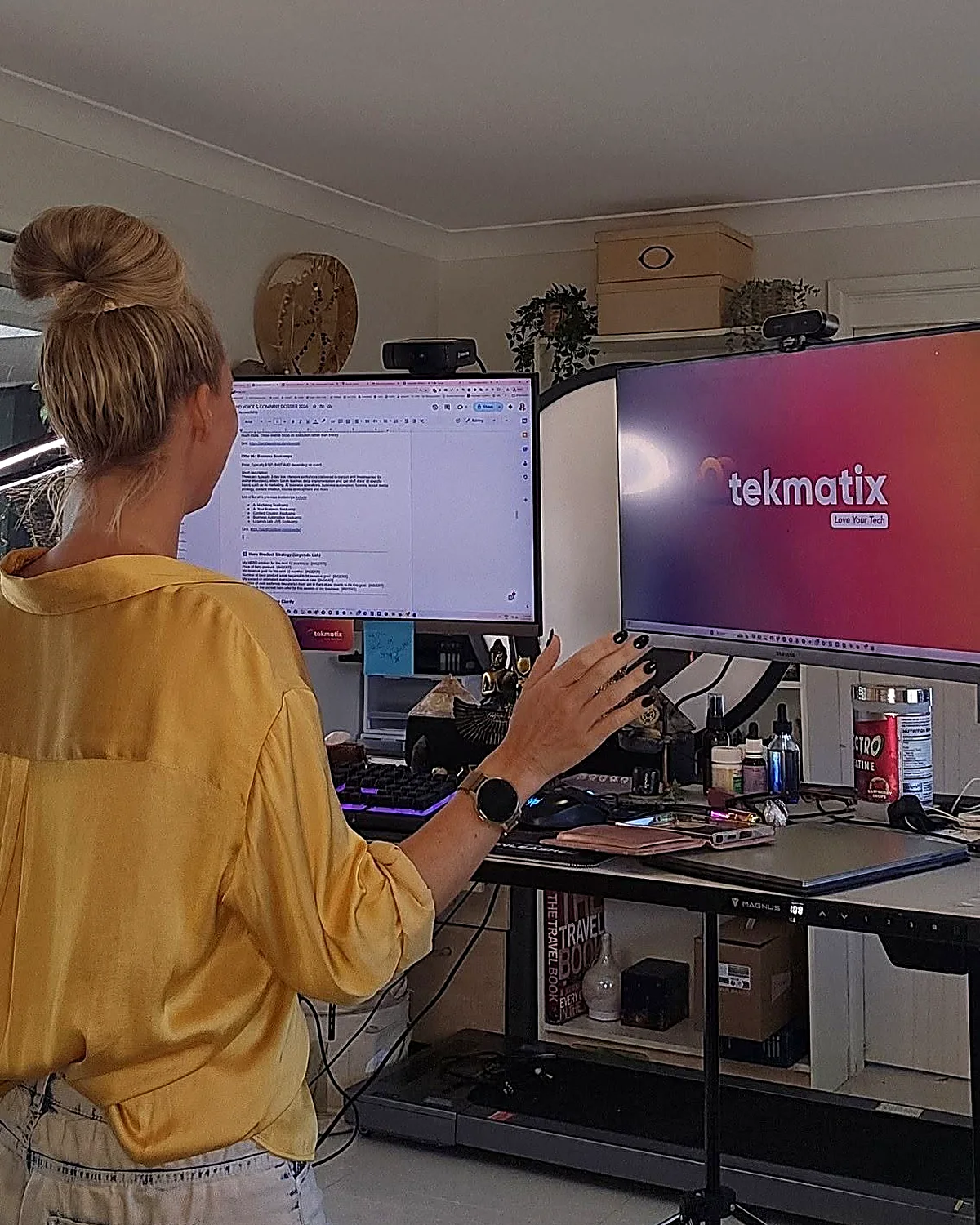
Sarah Cordiner at her desk showing the Tekmatix platform on screen
I founded it.
I run my business on it.
1,000+Businesses in Australia and 30+ countries
  • 5.0 on Google from 100+ reviews
  • 98% recommended on Facebook
  • 1,000+ businesses in 30+ countries
  • Award-winning 24/7 support
  • 3 free live training calls every weekday
  • Replace $500 to $1,000+ a month in subscriptions
Sound familiar?

Eight logins. Eight bills. Zero of them talking.

Most business owners I meet are paying for a website here, an email tool there, a booking app, a course platform, a CRM they never open... and then paying someone to glue it all together with duct tape and Zapier.

  • 1Leads fall through the cracks because your forms, inbox and CRM live in different places.
  • 2Every new tool means another login, another bill and another thing to learn.
  • 3You can't see what's actually working because your data is scattered across ten dashboards.
What Tekmatix replaces
Website and hostingWix / Squarespace / GoDaddy
$30+/mo
Sales funnelsClickFunnels / Leadpages
$99+/mo
CRMHubSpot / Salesforce
$50+/mo
Email marketingMailchimp / ActiveCampaign
$40+/mo
Booking calendarCalendly / Acuity
$20+/mo
AI chat and voice agentsVarious
$99+/mo
Social media schedulerHootsuite / Buffer
$30+/mo
Courses and membershipsKajabi / Teachable / Thinkific
$150+/mo
All of it, in TekmatixPlans from $150 AUD / $97 USD a month
The full feature list

Everything your business runs on, under one roof.

Tekmatix is an all-in-one CRM, marketing, sales, course and AI platform. Here's what's inside, grouped by the job it does for you. Tap a category to filter, or scroll the lot.

The bit everyone asks about

AI that does the work

Hand the repetitive stuff to AI that already knows your contacts, calendar and offers.

  • AI Employees that answer chats, DMs and enquiries 24/7
  • Voice AI receptionist that answers your phone and books calls
  • AI booking bot on your website chat widget
  • AI Studio to build apps and tools by describing them (vibe coding)
  • Ask AI assistant built into your account
  • AI website and funnel builder plus content and image AI
  • Connects to Claude and ChatGPT via MCP, so your AI can work inside Tekmatix

Get found and grow your list

Everything you need to get seen, capture leads and build your audience.

  • Unlimited websites with free hosting and your own domains
  • Unlimited funnels, landing pages, sales pages and opt-ins
  • 100+ ready-made templates for sites and funnels
  • Blogging with unlimited posts
  • Social media planner with auto-posting
  • Forms and quizzes, unlimited
  • Surveys with conditional logicPro
  • Reviews and reputation management, incl. Google Business Profile
  • Link-in-bio pages and QR codes

Nurture and convert

Turn strangers into clients with automated follow-up that never forgets.

  • CRM with unlimited contacts and full client records
  • Unified inbox for email, SMS, Facebook and Instagram DMs
  • Email marketing with automated newsletters
  • SMS and phone, incl. missed-call text back
  • Unlimited workflows and automations
  • Sales pipelines so you see every deal
  • Booking calendars for individuals, teams and groups, with 2-way sync
  • Advanced reporting on ads, calls, courses and lead sourcesPro

Sell and get paid

Take money online, in person and on autopilot. Payments go straight to your Stripe or PayPal.

  • Checkouts with upsells and order bumps
  • Invoicing: one-off, recurring and payment plans
  • Tap to pay on your phone (EFTPOS)
  • Request payments by SMS
  • Products and e-commerce, digital and physical, plus coupons
  • Proposals, quotes and contracts with e-signaturesPro
  • Affiliate program with unlimited affiliatesPro
  • Event management with QR code ticketingPro

Courses, memberships and community

Built especially for course creators, educators and coaches. (It's where I teach my own students.)

  • Unlimited courses and memberships
  • Unlimited students and video hosting
  • Assessments and quizzes inside your courses
  • Student mobile app in your branding
  • Communities and groups, unlimitedPro
  • Course certificatesPro

Run the business

The behind-the-scenes admin, organised and in one place for your whole team.

  • Project management and Kanban boards
  • Task manager with deadlines and tracking
  • Unlimited staff users with permission controls
  • Admin mobile app for Apple and Android
  • Business card scanner
  • Integrations with Zapier, Make, WordPress, Google and more
  • Up to 5 sub-accounts for your other businessesMax
ProIncluded on Pro and Max plansMaxMax plan onlyEverything else is included from Starter up.

Want to see it with your own eyes?

Start a 7-day free trial and a Tekspert will jump on a free set-up call with you.

Who it's for

If you sell your expertise or your services, it's built for you.

Solo operators, growing teams and multi-business owners all run on Tekmatix. Here's where it shines brightest.

01

Coaches, course creators and educators

Your website, sales pages, checkout, courses, membership, community and email, all connected. Tekmatix was made especially for you.

02

Consultants, speakers and experts

Bookings, proposals, contracts, invoices and follow-up that makes you look like a big firm, even if it's just you.

03

Health, allied health and NDIS providers

Online bookings, reminders, reviews and client records for clinics, therapists and practitioners.

04

Tradies and local service businesses

Missed-call text back, quotes, tap to pay and review requests, so you win the job while you're still on the tools.

05

Studios, salons and personal trainers

Class bookings, memberships, payments and reminders that cut the no-shows and the admin.

06

Agencies, associations and multi-business owners

Pipelines, staff permissions, reporting and (on Max) up to 5 sub-accounts to run several brands from one login.

Business ownersCoachesCourse creatorsConsultantsTherapistsNDIS providersMedical and allied healthLegal and financial professionalsTradiesSalonsYoga studiosPersonal trainersPhotographersDesignersMarketing agenciesRecruitersOnline storesEvent organisersChurchesCharitiesBusiness associations

Honest moment: if you only need one simple tool and you're genuinely happy juggling logins, you probably don't need Tekmatix yet. But the minute you're copying leads from one app to another, or paying for five subscriptions that don't talk to each other, it's time.

You're never on your own

Most software gives you a login. We give you a team.

I'm an educator first, so Tekmatix was built education-first. Every plan comes with real humans, real training and real templates to get you up and running fast.

Day one

Free one-on-one set-up call

A Tekspert jumps on a call with you to set up your account and connect your integrations.

24/7

Award-winning live chat

Stuck at 11pm? Real support, any time of day or night.

Every weekday

3 free live training calls

Drop in, share your screen and get your questions answered live.

Included

Starter kit and training library

Ready-made templates and automations, a step-by-step help centre, video tutorials and a free Tekmatix training course.

Rather someone just did it for you?

Teksperts are available by the hour, plus fixed-price done-for-you set-up and migration from your old platforms.

See Tekmatix services →
Plans and pricing

Simple pricing that doesn't punish growth.

Unlimited contacts on Starter and Pro, so your bill doesn't jump every time your list grows. Pay in AUD or USD, monthly or yearly (pay yearly and get a month free).

Starter
$150 AUD / month
or $97 USD / month

Everything you need to market, sell and deliver, in one place.

  • Unlimited contacts, staff users and courses
  • Websites, funnels, CRM, email and bookings
  • Payments, invoicing and tap to pay
  • AI Agents, AI booking bot, AI Studio and Ask AI
  • 24/7 live chat and a free set-up call
Start 7-day free trial
Best for course creators Pro
$230 AUD / month
or $149 USD / month

Everything in Starter, plus the tools to build a community and scale.

  • Communities, groups and course certificates
  • Event management with QR ticketing
  • Your own affiliate program
  • Proposals, contracts and e-signatures
  • Unlimited surveys and advanced reporting
Start 7-day free trial
For multi-business owners Max
$497 AUD / month
or $349 USD / month

Everything in Pro, plus more AI, more accounts and a strategist in your corner.

  • Up to 5 sub-accounts
  • AI Employee Growth plan included: 1,000 AI conversation replies and 100 voice AI minutes a month
  • Monthly 60-minute strategy call with a senior Tekspert
  • Early access to Tekmatix Labs
Tekmatix features Book a free demo call

Just starting out? The Launch plan is $75 AUD ($50 USD) a month for up to 1,000 contacts. No lock-in contracts.

Explore the Launch plan

Emails, SMS, phone calls and AI usage are pay-as-you-go and billed in USD, so you only pay for what you use. See the full rates at tekmatix.com/rebilling. Prices current as at September 2026. Always check tekmatix.com/pricing for the latest.

Sarah Cordiner teaching a funnel diagram on a whiteboard
280,000+Students taught in 181 countries
A note from the founder

I didn't set out to start a software company. I started the toolbox I needed.

Founder and CEO, Tekmatix20+ years in businessPostgraduate qualified educator

After 20+ years in business and more than 280,000 students, I kept seeing the same thing. Brilliant people with brilliant expertise, drowning in tech. Paying for ten tools, using two of them, and spending their evenings on YouTube trying to make them talk to each other.

So I put everything a business needs into one platform, then wrapped it in the thing I know best: education and support. Tekmatix runs my own websites, courses, funnels, emails and AI agents every single day. I wouldn't recommend it if I didn't use it.

Sarah x

Want me to teach you how to get the most out of it?

Inside the Legends Lab I show you step by step how to use tech, AI and automation to grow your business, with live calls, workshops and templates you can copy.

Join the Legends Lab
Don't just take my word for it

Non-techie people love their tech again.

Tech is hard for non-techie people, and they really get that and make it fun.
Forging Ahead CoachingFacebook review
Yesterday I felt overwhelmed. Now I feel excited and empowered.
Melanie GleesonGoogle review
I have used a number of top CRM systems. This is up there with the very best.
Peter J CroneyFacebook review
Solved problems I have had for weeks, in 50 minutes. Wonderful.
Nicole TurnbullGoogle review
5.0Google rating, 100+ reviews
98%Recommended on Facebook
1,000+Businesses
30+Countries
The rest of my toolkit

The other tools I use and actually recommend.

Tekmatix is the engine. These are the extras that plug in around it for AI, video, design, content and admin. Tap a category to filter.

Some of these are affiliate links, which means I may earn a small commission at no extra cost to you. Thanks for supporting the brand!

AITop pickClaude CoWorkAI agent for non-developers that works across your files, email and apps to automate tasks on your desktop.Check it out → AITop pickChatGPTAI assistant for content, research, brainstorming and custom GPTs for your team.Check it out → AIGoogle GeminiGoogle's multimodal AI assistant, built into Google Workspace.Check it out → AIGoogle AI StudioTest prompts and build with Google's AI models, free to start.Check it out → AIManusAutonomous AI agent that researches and completes multi-step tasks for you.Check it out → AIGensparkAI search and research engine that builds answers from multiple sources.Check it out → AILovableAI app builder. Describe the web app you want in plain English and it builds it.Check it out → Video and audioTop pickDescriptEdit video and podcasts by editing the transcript. Plus screen recording.Check it out → Video and audioCapCutMobile-friendly video editing for Reels, TikToks and short-form content.Check it out → Video and audioTop pickHeyGenAI avatar videos with your own custom scripts and voice.Check it out → Video and audioElevenLabsRealistic AI voiceovers and voice cloning.Check it out → Video and audioSubmagicAI short-form video editing: auto captions, effects and b-roll.Check it out → Video and audioTop pickStreamYardLivestream and multistream to your socials, webinars and virtual events.Check it out → Video and audioLoomQuick screen recordings for tutorials, SOPs and async updates.Check it out → Video and audioCamtasiaScreen recording and video editing for polished course videos.Check it out → Video and audioPodcast.coPodcast hosting and distribution to all the major platforms.Check it out → Design and contentTop pickCanvaDesign for non-designers: social graphics, slides, marketing material and more.Check it out → Design and contentTop pickGammaAI presentation builder for slides, documents and simple web pages.Check it out → Design and contentEnvato ElementsCommercial-use music, video, b-roll, photos and templates.Check it out → Design and contentCreative FabricaFonts, graphics and design assets for your content.Check it out → Design and contentGoogle WhiskGoogle's AI image tool for generating and remixing images.Check it out → Design and contentAdCreative.aiAI-generated ad creatives for your paid campaigns.Check it out → Design and content1of10Viral content research: find the top-performing ideas in your niche.Check it out → Design and contentSyllabyAI social media strategy with video scripts and content ideas for your niche.Check it out → Design and contentTubeBuddyYouTube channel growth, SEO and optimisation.Check it out → ProductivityTop pickMakeVisual automation to connect your apps and build advanced workflows.Check it out → ProductivityOtter.aiRecords, transcribes and summarises your meetings automatically.Check it out → ProductivityWispr FlowAI voice-to-text. Dictate into any text box on your computer.Check it out → ProductivityGoogle WorkspaceEmail, docs, sheets, calendar and team collaboration.Check it out → ProductivityHunter.ioFind business email addresses for B2B outreach.Check it out → ProductivityStunningRecovers failed Stripe payments automatically.Check it out → Money and adminStripePayment processing. Connects to Tekmatix for courses, products, memberships and payment plans.Check it out → Money and adminPayPalConnects to Tekmatix so customers can pay with PayPal.Check it out → Money and adminXeroAccounting for invoicing, payroll, BAS and tax reporting.Check it out → Money and adminAppSumoLifetime deals on software and business tools.Check it out → Money and adminFiverrFreelancers for one-off design, writing and tech jobs.Check it out → Books and publishingPublisher RocketAmazon KDP keyword and category research for authors.Check it out → Books and publishingBookBoltKDP and low-content book publishing research and design.Check it out → Books and publishingMy gear listThe cameras, mics and lighting I recommend, on Amazon.Check it out →

Wondering where the email, booking, course, funnel and CRM tools are? I don't need them any more. Tekmatix does all of that, so I'd rather you didn't pay for them twice.

See what Tekmatix covers ↑
Questions I get asked

Tech stack FAQs.

Still wondering if Tekmatix is right for you? Here are the straight answers.

What is Tekmatix?

Tekmatix is an all-in-one AI business platform. It brings your website, funnels, CRM, email marketing, bookings, payments, courses, memberships, communities, social media scheduling and AI agents together in one connected account, so everything talks to each other.

Do I need to be techy to use it?

No. Tekmatix was built for non-techie business owners. You get a free set-up call, 24/7 live chat, three free live training calls every weekday, a help centre, video tutorials and ready-made templates to get started.

Is there a free trial?

Yes. The Starter and Pro plans come with a 7-day free trial. The Max plan starts with a demo, so the team can make sure it's the right fit.

Can I pay in Australian dollars?

Yes. You can pay your subscription in AUD or USD. Usage charges for emails, SMS, calls and AI are pay-as-you-go and always billed in USD. See tekmatix.com/rebilling for rates.

Will my price go up as my list grows?

No. Starter and Pro include unlimited contacts, so your plan price doesn't increase as your business grows. You also get unlimited courses, students and staff users.

Can you move me off my current platforms?

Yes. Tekmatix Teksperts offer fixed-price migration and done-for-you set-up services, or can help you integrate the tools you want to keep. See tekmatix.com/services.

Can I run courses, memberships and communities in it?

Yes. Tekmatix was made especially for course creators, educators and coaches. Courses and memberships are included on every plan, and communities and certificates come with Pro and Max.

Which plan should I choose?

Starter suits most service businesses and solo experts. Pro is best if you run courses with a community, events, contracts or an affiliate program. Max is for people running more than one business or who want more AI and a monthly strategy call. Not sure? See all the Tekmatix features.

Your move, legend

Stop juggling your tech. Start loving it.

One login. One bill. One platform that runs your marketing, sales, courses and AI, with a real team behind you. Try it free for 7 days and see how much simpler business gets.

7-day free trial on Starter and Pro / Free set-up call / Cancel anytime

See you inside. Sarah x

Latest Articles by Sarah Cordiner