How to Turn AI Into a Real Business Team: Skills, Agents, Automations and Guardrails

How to Turn AI Into a Real Business Team: Skills, Agents, Automations and Guardrails

How to Build an AI Team That Actually Runs Your Business - sarahcordiner.com

There is a point with AI where everything suddenly changes.

At first, it feels like WORK.

You’re feeding it information.

Building skills.

Creating prompts.

Connecting tools.

Writing instructions.

Correcting mistakes.

Updating knowledge.

And after a while you start thinking:

“WHEN is this actually going to start saving me time?”

I get it.

I’ve been there too.

But I’ve now reached what I can only describe as an AI tipping point.

I have spent months feeding my AIs my business information, systems, processes, content, stories, customer data, preferences, rules and instructions.

And suddenly, instead of me having to explain everything from scratch every time…

I can simply ask:

“Can you do this?”

And increasingly, the answer is:

“Yes.”

And then it actually GOES AND DOES IT.

That is the shift we are now seeing in AI.

We have moved from:

“Give me an answer.”

To:

“Go and do the job.”

And THAT is where things start getting very exciting.

Stop Thinking About AI as Just a Chatbot

Most business owners are still using AI like this:

“Write me a Facebook post.”

“Give me 10 ideas.”

“Rewrite this email.”

That’s useful.

But we’re moving far beyond that now.

With tools like ChatGPT Work, ChatGPT Dot, Claude and Grok Bot, we can increasingly give AI:

  • Knowledge
  • SOPs
  • Tasks
  • Processes
  • Procedures
  • Access to software
  • Scheduled responsibilities
  • Decision-making rules

And then allow it to perform work repeatedly.

Some of these AI skills are simply knowledge banks.

Others are actual automated jobs.

That means instead of asking AI to write one thing for you today, you can say:

“Every day at 6am, go and do this.”

And it can become part of your business operations.

Start With Real Business Problems

One of the biggest mistakes people make with AI is starting with:

“What cool thing can AI do?”

I think the better question is:

“What is currently taking me or my team HOURS?”

Look at the annoying stuff.

The repetitive stuff.

The tasks nobody enjoys.

The things that constantly get forgotten.

The jobs that require lots of fiddling around between different pieces of software.

And ask:

“How can I get an AI agent to manage this?”

That is exactly what I have been doing inside my companies.

Example: My AI Billing Manager

One of the first big areas I tackled was billing.

Previously, my team might need to:

  • Go into Stripe
  • Check whether somebody had paid
  • Check another payment method
  • Check Xero
  • Find the correct invoice
  • Find the customer record
  • Find the payment link
  • Write the email
  • Send the follow-up

That might take 15 minutes for ONE customer.

Multiply that across lots of customers and you have hours of human labour.

So I basically said to my AI:

“Can you manage this?”

My master agent then created a billing manager.

It connected to the tools it needed and began checking payment information, researching each customer and creating the appropriate follow-up communication.

THAT is the level of task we need to start thinking about now.

Example: Increasing Customer Lifetime Value

Another massive opportunity is customer retention and lifetime value.

Most businesses spend enormous energy trying to get new customers.

But what about the people who have ALREADY bought from you?

Maybe they:

  • Bought something two years ago
  • Are only using one part of your service
  • Need to renew annually
  • Haven’t implemented something they originally wanted
  • Could benefit from another service you offer

The problem is that personalised follow-up takes time.

So I asked my AI to research customers properly.

I wanted it to look at things like:

  • Contact records
  • Notes
  • Tags
  • Forms
  • Previous conversations
  • Previous purchases
  • Their website
  • What they had and had not used

And THEN make an appropriate personalised offer.

Not some rubbish generic:

“Hey, wanna buy something else?”

A real, relevant offer based on what that individual customer actually needs.

Your AI Can Become Your Content Team Too

I have also been experimenting heavily with content automation.

For example, I now have systems that can access:

  • My training transcripts
  • Otter recordings
  • My blog
  • My personal memoir and stories
  • My Google Drive
  • My B-roll images and videos

From that, I can ask it to create different categories of content.

For example:

  1. A practical AI prompt someone can use
  2. A teaching post from one of my workshops or calls
  3. A personal story from my memoir

It can then match the content with images, log the ideas into a Google Sheet and schedule the posts through Tekmatix.

So instead of:

AI writes post → Sarah copies post → Sarah finds image → Sarah uploads image → Sarah adds hashtags → Sarah schedules post…

The whole workflow can become one skill.

Turn Your Calls Into Blog Posts Automatically

Another workflow I have been building is what I call:

Otter to Blog.

The idea is simple.

Every day, AI reviews my recent recordings.

If a recording contains useful educational material and does NOT contain:

  • Private conversations
  • Personal notes
  • Client names
  • Client business information
  • Confidential information

…then it can turn that transcript into a blog post.

And not just write the draft.

It can potentially:

  • Write the article
  • Format the headings
  • Make it SEO-friendly
  • Make it AEO and GEO-friendly
  • Add relevant links
  • Create the image
  • Create the metadata
  • Create the tags
  • Publish the article

And THEN it can take that published URL and share it across social media.

This is where automation starts becoming genuinely powerful.

Your AI Needs Guardrails Before You Let It Loose

Now.

Before everyone gets excited and gives AI access to EVERYTHING…

No.

Train it first.

When I first began creating my own agents and skills, my rules were very strict.

I would tell the AI:

“Do not send anything.”

“Draft only.”

“Ask me before doing anything.”

“Give me three examples first.”

Then I would review everything.

And some of those first drafts were TERRIBLE.

The AI would get things wrong.

It would make assumptions.

It would occasionally invent information.

And I would pull the work apart the same way I would if I were training a human employee.

I would explain:

“You said this person works in this industry. They don’t. Next time, check their website properly.”

“You offered this service. We don’t sell that.”

“You’ve used this language. I never use that.”

And then I give it one of the most important instructions I use:

Please update the skill and your knowledge base with this information so that going forward we never make that mistake again.

And I usually add:

Please update any other relevant skills that might need this information too.

THAT is how you train your AI.

Increase Autonomy Slowly

Do not go from zero to:

“Here’s my entire company, good luck.”

Start small.

For example:

First:
“Draft 10 emails.”

Then:
You manually review all 10.

Correct them.

Train the AI.

Then maybe:

“Send three.”

Review what happened.

Keep training.

Keep improving.

Keep updating the skill.

Eventually, when you have watched it perform correctly again and again and again, THEN you can increase its autonomy.

That is exactly what I have done.

There are things now where I simply say:

“Off you go.”

But I did not start there.

One Rule I Will NOT Break: Never Delete Anything

One of my strongest AI system rules is:

Never delete anything.

Seriously.

My AI is not allowed to delete:

  • Contacts
  • Emails
  • Files
  • Documents
  • Blog posts
  • Social media posts
  • CRM records

If there is uncertainty, I would rather it create a duplicate than delete something important.

Duplicates can be cleaned up later.

Deleted data can become an absolute nightmare.

So one of your system-level AI instructions should be:

You may create a new version. You may create a duplicate. You may not delete anything.

Get a Daily CEO Report From Your AI

Another system I strongly recommend is a daily CEO or COO report.

At the end of the day, your AI can tell you what happened.

For example:

  • How many support tickets came in?
  • How many are still outstanding?
  • Who answered them?
  • What calls happened?
  • Who didn’t turn up?
  • What was discussed?
  • How many lead follow-ups happened?
  • How many customer retention messages went out?
  • Were there complaints?
  • Is anything going wrong?

Instead of logging into 15 different systems, I can get ONE summary.

That means I still have oversight.

I still know what is happening.

I still remain responsible.

But I do not have to personally touch every task.

Build a Customer Intelligence System

This is another huge one.

Stop guessing what your customers want.

ASK THEM.

And then let AI analyse the data.

One of the things we collect inside Tekmatix is onboarding information.

When somebody signs up, we ask them why they are there.

For example:

  • Build a website
  • Create courses
  • Automate marketing
  • Send emails
  • Build a membership

Then I can tell AI:

“Go and analyse all these submissions and tell me why people actually come to Tekmatix.”

That gives us customer intelligence based on REAL people.

Not assumptions.

From there, I can ask:

  • What problems are they having?
  • What content should I create?
  • What videos should I film?
  • What offers should I promote?
  • What tutorials would help them?
  • What Facebook ads should I make?

One morning I did exactly that and AI gave me a whole list of videos to film.

So I filmed eight of them before getting on my next call.

That is how fast content creation becomes when you combine:

Customer data + AI + execution.

Ask One Question Every Day

Here is a ridiculously simple AI strategy.

Look at your to-do list.

Pick a task.

Then ask your AI:

“Could this be a skill?”

Or:

“Could this become a scheduled task?”

Or:

“Could you do this for me every day?”

Or:

“Could you do this weekly or monthly?”

That is it.

You do not need to redesign your whole business in one weekend.

Start turning individual recurring tasks into skills.

Give Your AI the Right Foundation

Your AI is only as good as what it knows about your business.

Some of the most important things you can give it include:

  • Your company dossier
  • Your strategic plan
  • Your brand style guide
  • Your links directory
  • Your email style and communication preferences
  • Your job description
  • Your team’s job descriptions
  • Your processes
  • Your rules
  • Your existing skills

The more context it has, the less you have to explain yourself every five seconds.

Turn Job Descriptions Into Automation Opportunities

This is useful even if you are an employee.

Write down your job description.

Then write the job descriptions of your team.

Then write the job descriptions of the people you WISH you could hire.

Now give those to AI and ask:

“Which parts of these jobs can be automated?”

“What skills could we build?”

“What agents could perform these tasks?”

“What still needs a human?”

This is not about getting rid of people.

It is about getting brilliant people OUT of repetitive nonsense.

If my team member is spending hours clicking around Stripe chasing invoices, I would much rather have AI do that while she spends her time on content, customers, partnerships, projects and work that actually requires a human.

Build a Master Skills Directory

Once you start creating lots of AI skills, there is another problem.

CHAOS.

You end up with:

  • Skills in ChatGPT
  • Skills in Claude
  • Skills in Grok
  • Random prompts
  • Tasks
  • Schedules
  • Multiple versions
  • Things you cannot remember creating

It can become what I call a snake’s wedding VERY quickly.

So create a master skills directory.

Mine tracks things like:

  • Skill name
  • What it does
  • Where it runs
  • Last updated
  • Notes
  • Which AI is responsible for it

That becomes your central index of your AI operating system.

Create a Daily Sync Skill

One of my favourite automations is what I call:

Daily Sync.

Every day, the AI checks what has happened and cleans up the loose ends.

It can:

  • Update skills
  • Add newly created skills to the directory
  • Record changes
  • Record where each skill is running
  • Review chats
  • Find unfinished tasks
  • Mark completed tasks
  • Add forgotten tasks to the task manager
  • Save useful documents to Google Drive

This is particularly useful for my fellow ADHD brains who have approximately 10,000 tabs open and no idea where the music is coming from.

Instead of relying on your brain to remember:

“Oh yeah, I started something interesting in a chat at 10:42am three Tuesdays ago…”

Your AI captures it.

That is a MUCH better system.

Train Your AI Like Your Future Successor

This is probably one of the most important mindset shifts.

Stop treating your AI like a vending machine.

Treat it like an unbelievably promising new team member.

Imagine this person has just joined your company.

They are brilliant.

They are fast.

They are eager to learn.

And maybe one day, you want them capable of running huge parts of the operation without you.

How would you train that person?

You would:

  • Teach them
  • Correct them
  • Give them examples
  • Give them access
  • Explain your preferences
  • Explain your rules
  • Show them what good looks like
  • Review their work
  • Increase responsibility over time

That is how I believe we should be working with AI.

You Do Not Need to Automate Everything Today

This is where people can very quickly get overwhelmed.

Do not try to build 400 skills tonight.

Start with one.

Then another.

Then another.

Every day, look at what you are doing and ask:

“Does Sarah really need to be doing this?”

“Does my employee really need to be doing this?”

“Could AI do the first draft?”

“Could AI do the research?”

“Could AI do the admin?”

“Could AI run this every week?”

“Could this become a skill?”

Over time, those little automations begin stacking together.

And eventually you hit that tipping point.

The moment where it stops feeling like you are building AI…

…and starts feeling like AI is helping build the business.

That is where this gets VERY exciting.

Now go and look at your to-do list.

Pick ONE repetitive task.

And ask your AI:

“Could this become a skill?”

Then go play.

Happy tekkin’.

Build Your Brand & Business

Want Help Building Your Brand Properly?

If you want to learn how to build your personal brand, business systems, audience, and scalable online business properly, check out the Legends Lab program by Sarah Cordiner.

Join Legends Lab

How Sarah Cordiner Can Help You Scale Your Business with Tech, AI, and Automation

Tech doesn't have to be hard or scary. I help you make it easy to learn, fun to implement, and even better to see the amazing results that you can get with some simple tech tools and strategy.

Here are all of the different ways that I can help you scale your business, streamline your operations, and make your bottom line full of joy using tech, AI, and automation (as well as traditional methods) as your secret weapon.

Sarah's tech stack
The tech I run my businesses on / Updated 2026

One platform. Your whole business. Finally talking to each other.

"What tech do you use, Sarah?" I get asked this every single week. The honest answer? Almost all of it lives in one place: Tekmatix. It's the all-in-one AI business platform I founded, and it runs my websites, funnels, courses, emails, bookings, payments and AI agents. Here's everything it does, who it's for, and the handful of other tools I love.

7-day free trialFree set-up call24/7 live chatAUD or USD

No lock-in contracts / Cancel anytime / Australian owned and female owned
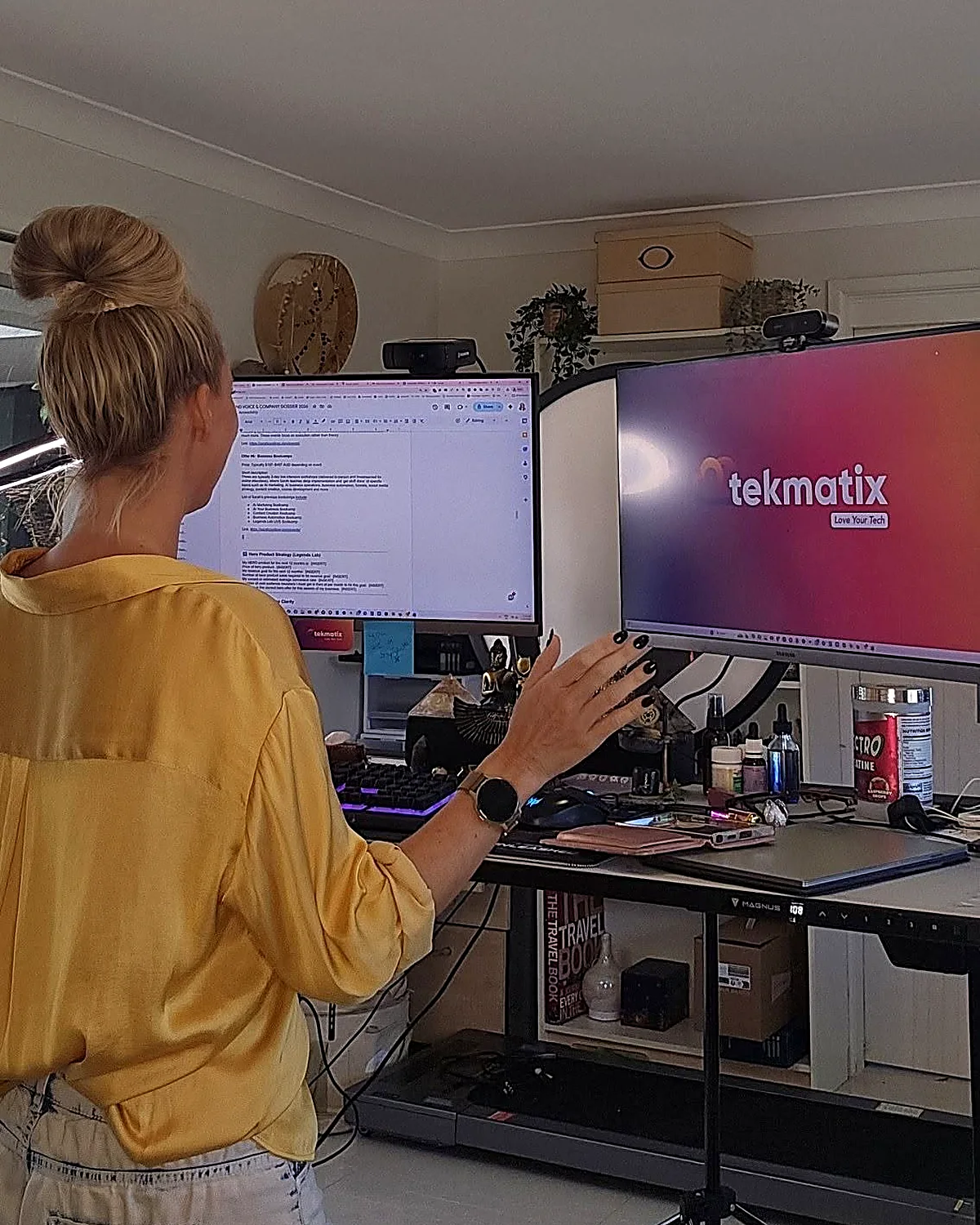
Sarah Cordiner at her desk showing the Tekmatix platform on screen
I built it.
I run my business on it.
1,000+Businesses in Australia and 30+ countries
  • 5.0 on Google from 100+ reviews
  • 98% recommended on Facebook
  • 1,000+ businesses in 30+ countries
  • Award-winning 24/7 support
  • 3 free live training calls every weekday
  • Replace $500 to $1,000+ a month in subscriptions
Sound familiar?

Eight logins. Eight bills. Zero of them talking.

Most business owners I meet are paying for a website here, an email tool there, a booking app, a course platform, a CRM they never open... and then paying someone to glue it all together with duct tape and Zapier.

  • 1Leads fall through the cracks because your forms, inbox and CRM live in different places.
  • 2Every new tool means another login, another bill and another thing to learn.
  • 3You can't see what's actually working because your data is scattered across ten dashboards.
What Tekmatix replaces
Website and hostingWix / Squarespace / GoDaddy
$30+/mo
Sales funnelsClickFunnels / Leadpages
$99+/mo
CRMHubSpot / Salesforce
$50+/mo
Email marketingMailchimp / ActiveCampaign
$40+/mo
Booking calendarCalendly / Acuity
$20+/mo
AI chat and voice agentsVarious
$99+/mo
Social media schedulerHootsuite / Buffer
$30+/mo
Courses and membershipsKajabi / Teachable / Thinkific
$150+/mo
All of it, in TekmatixPlans from $150 AUD / $97 USD a month
The full feature list

Everything your business runs on, under one roof.

Tekmatix is an all-in-one CRM, marketing, sales, course and AI platform. Here's what's inside, grouped by the job it does for you. Tap a category to filter, or scroll the lot.

The bit everyone asks about

AI that does the work

Hand the repetitive stuff to AI that already knows your contacts, calendar and offers.

  • AI Employees that answer chats, DMs and enquiries 24/7
  • Voice AI receptionist that answers your phone and books calls
  • AI booking bot on your website chat widget
  • AI Studio to build apps and tools by describing them (vibe coding)
  • Ask AI assistant built into your account
  • AI website and funnel builder plus content and image AI
  • Connects to Claude and ChatGPT via MCP, so your AI can work inside Tekmatix

Get found and grow your list

Everything you need to get seen, capture leads and build your audience.

  • Unlimited websites with free hosting and your own domains
  • Unlimited funnels, landing pages, sales pages and opt-ins
  • 100+ ready-made templates for sites and funnels
  • Blogging with unlimited posts
  • Social media planner with auto-posting
  • Forms and quizzes, unlimited
  • Surveys with conditional logicPro
  • Reviews and reputation management, incl. Google Business Profile
  • Link-in-bio pages and QR codes

Nurture and convert

Turn strangers into clients with automated follow-up that never forgets.

  • CRM with unlimited contacts and full client records
  • Unified inbox for email, SMS, Facebook and Instagram DMs
  • Email marketing with automated newsletters
  • SMS and phone, incl. missed-call text back
  • Unlimited workflows and automations
  • Sales pipelines so you see every deal
  • Booking calendars for individuals, teams and groups, with 2-way sync
  • Advanced reporting on ads, calls, courses and lead sourcesPro

Sell and get paid

Take money online, in person and on autopilot. Payments go straight to your Stripe or PayPal.

  • Checkouts with upsells and order bumps
  • Invoicing: one-off, recurring and payment plans
  • Tap to pay on your phone (EFTPOS)
  • Request payments by SMS
  • Products and e-commerce, digital and physical, plus coupons
  • Proposals, quotes and contracts with e-signaturesPro
  • Affiliate program with unlimited affiliatesPro
  • Event management with QR code ticketingPro

Courses, memberships and community

Built especially for course creators, educators and coaches. (It's where I teach my own students.)

  • Unlimited courses and memberships
  • Unlimited students and video hosting
  • Assessments and quizzes inside your courses
  • Student mobile app in your branding
  • Communities and groups, unlimitedPro
  • Course certificatesPro

Run the business

The behind-the-scenes admin, organised and in one place for your whole team.

  • Project management and Kanban boards
  • Task manager with deadlines and tracking
  • Unlimited staff users with permission controls
  • Admin mobile app for Apple and Android
  • Business card scanner
  • Integrations with Zapier, Make, WordPress, Google and more
  • Up to 5 sub-accounts for your other businessesMax
ProIncluded on Pro and Max plansMaxMax plan onlyEverything else is included from Starter up.

Want to see it with your own eyes?

Start a 7-day free trial and a Tekspert will jump on a free set-up call with you.

Who it's for

If you sell your expertise or your services, it's built for you.

Solo operators, growing teams and multi-business owners all run on Tekmatix. Here's where it shines brightest.

01

Coaches, course creators and educators

Your website, sales pages, checkout, courses, membership, community and email, all connected. Tekmatix was made especially for you.

02

Consultants, speakers and experts

Bookings, proposals, contracts, invoices and follow-up that makes you look like a big firm, even if it's just you.

03

Health, allied health and NDIS providers

Online bookings, reminders, reviews and client records for clinics, therapists and practitioners.

04

Tradies and local service businesses

Missed-call text back, quotes, tap to pay and review requests, so you win the job while you're still on the tools.

05

Studios, salons and personal trainers

Class bookings, memberships, payments and reminders that cut the no-shows and the admin.

06

Agencies, associations and multi-business owners

Pipelines, staff permissions, reporting and (on Max) up to 5 sub-accounts to run several brands from one login.

Business ownersCoachesCourse creatorsConsultantsTherapistsNDIS providersMedical and allied healthLegal and financial professionalsTradiesSalonsYoga studiosPersonal trainersPhotographersDesignersMarketing agenciesRecruitersOnline storesEvent organisersChurchesCharitiesBusiness associations

Honest moment: if you only need one simple tool and you're genuinely happy juggling logins, you probably don't need Tekmatix yet. But the minute you're copying leads from one app to another, or paying for five subscriptions that don't talk to each other, it's time.

You're never on your own

Most software gives you a login. We give you a team.

I'm an educator first, so Tekmatix was built education-first. Every plan comes with real humans, real training and real templates to get you up and running fast.

Day one

Free one-on-one set-up call

A Tekspert jumps on a call with you to set up your account and connect your integrations.

24/7

Award-winning live chat

Stuck at 11pm? Real support, any time of day or night.

Every weekday

3 free live training calls

Drop in, share your screen and get your questions answered live.

Included

Starter kit and training library

Ready-made templates and automations, a step-by-step help centre, video tutorials and a free Tekmatix training course.

Rather someone just did it for you?

Teksperts are available by the hour, plus fixed-price done-for-you set-up and migration from your old platforms.

See Tekmatix services →
Plans and pricing

Simple pricing that doesn't punish growth.

Unlimited contacts on Starter and Pro, so your bill doesn't jump every time your list grows. Pay in AUD or USD, monthly or yearly (pay yearly and get a month free).

Starter
$150 AUD / month
or $97 USD / month

Everything you need to market, sell and deliver, in one place.

  • Unlimited contacts, staff users and courses
  • Websites, funnels, CRM, email and bookings
  • Payments, invoicing and tap to pay
  • AI Agents, AI booking bot, AI Studio and Ask AI
  • 24/7 live chat and a free set-up call
Start 7-day free trial
Best for course creators Pro
$230 AUD / month
or $149 USD / month

Everything in Starter, plus the tools to build a community and scale.

  • Communities, groups and course certificates
  • Event management with QR ticketing
  • Your own affiliate program
  • Proposals, contracts and e-signatures
  • Unlimited surveys and advanced reporting
Start 7-day free trial
For multi-business owners Max
$497 AUD / month
or $349 USD / month

Everything in Pro, plus more AI, more accounts and a strategist in your corner.

  • Up to 5 sub-accounts
  • AI Employee Growth plan included: 1,000 AI conversation replies and 100 voice AI minutes a month
  • Monthly 60-minute strategy call with a senior Tekspert
  • Early access to Tekmatix Labs
Book a demo

Just starting out? The Launch plan is $75 AUD ($50 USD) a month for up to 1,000 contacts. No lock-in contracts.

Chat about the Launch plan

Emails, SMS, phone calls and AI usage are pay-as-you-go and billed in USD, so you only pay for what you use. See the full rates at tekmatix.com/rebilling. Prices current as at September 2026. Always check tekmatix.com/pricing for the latest.

Sarah Cordiner teaching a funnel diagram on a whiteboard
280,000+Students taught in 181 countries
A note from the founder

I didn't build software. I built the toolbox I needed.

Founder and CEO, Tekmatix20+ years in businessPostgraduate qualified educator

After 20+ years in business and more than 280,000 students, I kept seeing the same thing. Brilliant people with brilliant expertise, drowning in tech. Paying for ten tools, using two of them, and spending their evenings on YouTube trying to make them talk to each other.

So I put everything a business needs into one platform, then wrapped it in the thing I know best: education and support. Tekmatix runs my own websites, courses, funnels, emails and AI agents every single day. I wouldn't recommend it if I didn't use it.

Sarah x

Want me to teach you how to get the most out of it?

Inside the Legends Lab I show you step by step how to use tech, AI and automation to grow your business, with live calls, workshops and templates you can copy.

Join the Legends Lab
Don't just take my word for it

Non-techie people love their tech again.

Tech is hard for non-techie people, and they really get that and make it fun.
Forging Ahead CoachingFacebook review
Yesterday I felt overwhelmed. Now I feel excited and empowered.
Melanie GleesonGoogle review
I have used a number of top CRM systems. This is up there with the very best.
Peter J CroneyFacebook review
Solved problems I have had for weeks, in 50 minutes. Wonderful.
Nicole TurnbullGoogle review
5.0Google rating, 100+ reviews
98%Recommended on Facebook
1,000+Businesses
30+Countries
The rest of my toolkit

The other tools I use and actually recommend.

Tekmatix is the engine. These are the extras that plug in around it for AI, video, design, content and admin. Tap a category to filter.

Some of these are affiliate links, which means I may earn a small commission at no extra cost to you. Thanks for supporting the brand!

AITop pickClaude CoWorkAI agent for non-developers that works across your files, email and apps to automate tasks on your desktop.Check it out → AITop pickChatGPTAI assistant for content, research, brainstorming and custom GPTs for your team.Check it out → AIGoogle GeminiGoogle's multimodal AI assistant, built into Google Workspace.Check it out → AIGoogle AI StudioTest prompts and build with Google's AI models, free to start.Check it out → AIManusAutonomous AI agent that researches and completes multi-step tasks for you.Check it out → AIGensparkAI search and research engine that builds answers from multiple sources.Check it out → AILovableAI app builder. Describe the web app you want in plain English and it builds it.Check it out → Video and audioTop pickDescriptEdit video and podcasts by editing the transcript. Plus screen recording.Check it out → Video and audioCapCutMobile-friendly video editing for Reels, TikToks and short-form content.Check it out → Video and audioTop pickHeyGenAI avatar videos with your own custom scripts and voice.Check it out → Video and audioElevenLabsRealistic AI voiceovers and voice cloning.Check it out → Video and audioSubmagicAI short-form video editing: auto captions, effects and b-roll.Check it out → Video and audioTop pickStreamYardLivestream and multistream to your socials, webinars and virtual events.Check it out → Video and audioLoomQuick screen recordings for tutorials, SOPs and async updates.Check it out → Video and audioCamtasiaScreen recording and video editing for polished course videos.Check it out → Video and audioPodcast.coPodcast hosting and distribution to all the major platforms.Check it out → Design and contentTop pickCanvaDesign for non-designers: social graphics, slides, marketing material and more.Check it out → Design and contentTop pickGammaAI presentation builder for slides, documents and simple web pages.Check it out → Design and contentEnvato ElementsCommercial-use music, video, b-roll, photos and templates.Check it out → Design and contentCreative FabricaFonts, graphics and design assets for your content.Check it out → Design and contentGoogle WhiskGoogle's AI image tool for generating and remixing images.Check it out → Design and contentAdCreative.aiAI-generated ad creatives for your paid campaigns.Check it out → Design and content1of10Viral content research: find the top-performing ideas in your niche.Check it out → Design and contentSyllabyAI social media strategy with video scripts and content ideas for your niche.Check it out → Design and contentTubeBuddyYouTube channel growth, SEO and optimisation.Check it out → ProductivityTop pickMakeVisual automation to connect your apps and build advanced workflows.Check it out → ProductivityOtter.aiRecords, transcribes and summarises your meetings automatically.Check it out → ProductivityWispr FlowAI voice-to-text. Dictate into any text box on your computer.Check it out → ProductivityGoogle WorkspaceEmail, docs, sheets, calendar and team collaboration.Check it out → ProductivityHunter.ioFind business email addresses for B2B outreach.Check it out → ProductivityStunningRecovers failed Stripe payments automatically.Check it out → Money and adminStripePayment processing. Connects to Tekmatix for courses, products, memberships and payment plans.Check it out → Money and adminPayPalConnects to Tekmatix so customers can pay with PayPal.Check it out → Money and adminXeroAccounting for invoicing, payroll, BAS and tax reporting.Check it out → Money and adminAppSumoLifetime deals on software and business tools.Check it out → Money and adminFiverrFreelancers for one-off design, writing and tech jobs.Check it out → Books and publishingPublisher RocketAmazon KDP keyword and category research for authors.Check it out → Books and publishingBookBoltKDP and low-content book publishing research and design.Check it out → Books and publishingMy gear listThe cameras, mics and lighting I recommend, on Amazon.Check it out →

Wondering where the email, booking, course, funnel and CRM tools are? I don't need them any more. Tekmatix does all of that, so I'd rather you didn't pay for them twice.

See what Tekmatix covers ↑
Questions I get asked

Tech stack FAQs.

Still wondering if Tekmatix is right for you? Here are the straight answers.

What is Tekmatix?

Tekmatix is an all-in-one AI business platform. It brings your website, funnels, CRM, email marketing, bookings, payments, courses, memberships, communities, social media scheduling and AI agents together in one connected account, so everything talks to each other.

Do I need to be techy to use it?

No. Tekmatix was built for non-techie business owners. You get a free set-up call, 24/7 live chat, three free live training calls every weekday, a help centre, video tutorials and ready-made templates to get started.

Is there a free trial?

Yes. The Starter and Pro plans come with a 7-day free trial. The Max plan starts with a demo, so the team can make sure it's the right fit.

Can I pay in Australian dollars?

Yes. You can pay your subscription in AUD or USD. Usage charges for emails, SMS, calls and AI are pay-as-you-go and always billed in USD. See tekmatix.com/rebilling for rates.

Will my price go up as my list grows?

No. Starter and Pro include unlimited contacts, so your plan price doesn't increase as your business grows. You also get unlimited courses, students and staff users.

Can you move me off my current platforms?

Yes. Tekmatix Teksperts offer fixed-price migration and done-for-you set-up services, or can help you integrate the tools you want to keep. See tekmatix.com/services.

Can I run courses, memberships and communities in it?

Yes. Tekmatix was made especially for course creators, educators and coaches. Courses and memberships are included on every plan, and communities and certificates come with Pro and Max.

Which plan should I choose?

Starter suits most service businesses and solo experts. Pro is best if you run courses with a community, events, contracts or an affiliate program. Max is for people running more than one business or who want more AI and a monthly strategy call. Not sure? Book a demo.

Your move, legend

Stop juggling your tech. Start loving it.

One login. One bill. One platform that runs your marketing, sales, courses and AI, with a real team behind you. Try it free for 7 days and see how much simpler business gets.

7-day free trial on Starter and Pro / Free set-up call / Cancel anytime

See you inside. Sarah x

Latest Articles by Sarah Cordiner