How To Select & Gather Your Online Course Content

How To Select & Gather Your Online Course Content
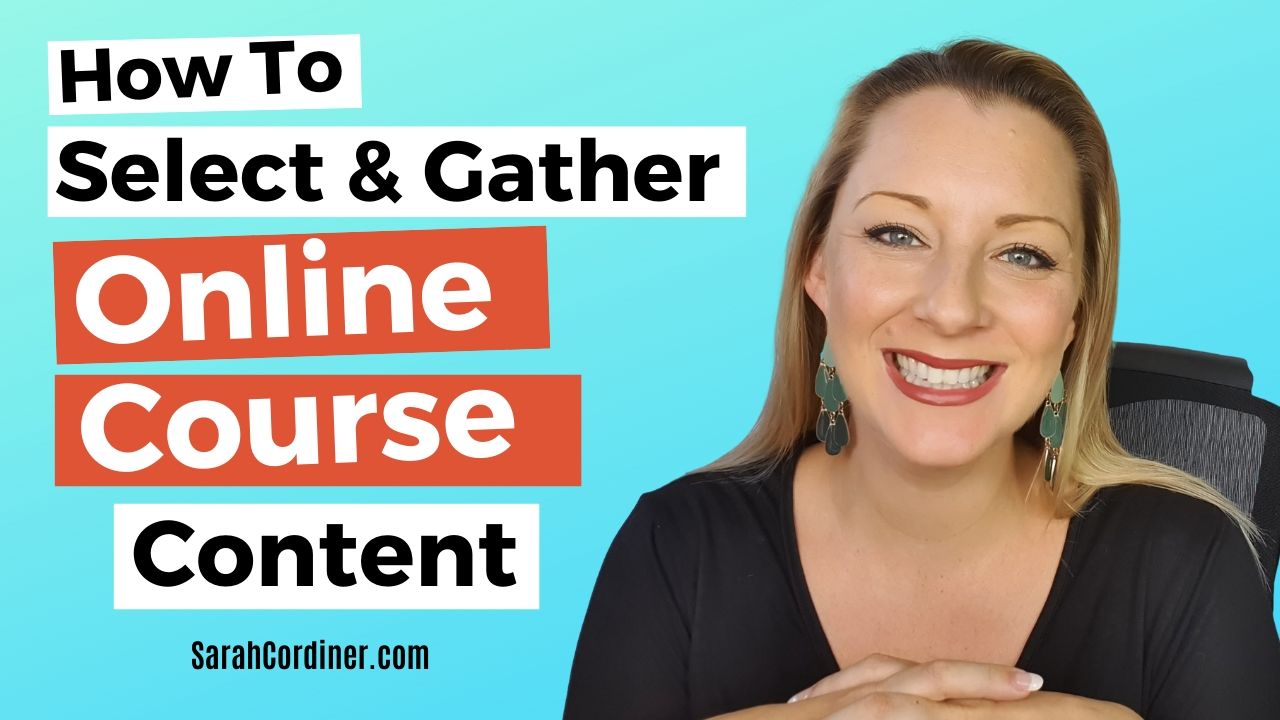
how to select and gather your online course content

Selecting and Gathering Your Course Content

Many people make the mistake of jumping straight to creating their content when they sit down to create a course.

There are 10 major steps to creating a successful online course, and this is step 5.  Yes! We don’t get to the stage of creating our course content until we are halfway through the course creation process!

If you are planning on creating a course, and want it to be successful – please do not skip steps 1-4, which are:

  • Step 1: Pick The Perfect Topic For Your Online Course and
  • Step 2: Ensure Your Course Idea has High Market Demand
  • Step 3: Select Your Course Type, Business Model & Pricing
  • Step 4: Craft Your Learning Outcomes


You can get all of these steps inside my FREE Course Creation Starter Kit.


CLICK HERE TO WATCH THE VIDEO:

https://youtu.be/kb4nbFs0Sj4


This is the stage where you start creating the actual content for your online course, and, the stage where many course creators risk falling into ‘The Hole of Eternal Procrastination’.

The main reason we get stuck here is often because of the sheer volume of information we have in our heads or all around us in books, on our hard drives, in our notepads and so on.

For others, the fear of not having enough content can stop them dead in their tracks.

The art at this stage is not just about what we should include in our course, but what we need to leave out of it.

This is where the research you will have conducted in the market testing phase and your learning outcomes, now come to serve you again.


Let’s Keep It Simple

Since this is the stage of online course creation when experts begin to get overwhelmed by the sheer amount of knowledge that they have in their heads and get lost trying to pick and choose what to include.

Before they know it, the course in their head is bigger than a university PhD and they hide under the bed.

Remember, if this is your first time, you should be creating a simple lead magnet or mini-course which are not complex processes – and especially if you are part of my Concept To Course 30 Day Coaching Program where I personally guide you to get it done (and done right!)


It Will Always Be Evolving

When beginning this process, remember that your course WILL grow and evolve constantly, it is NEVER going to be a ‘finished’ product if you are ‘doing it right’.

It will forever adapt, iterate and change as more and more students go through it, give you more feedback and you become more experienced and adept at delivering your content online.

Despite the fact that I have been teaching online course creation for many years; my program changes every single time I teach it.

This is because every time we complete an intake of students as course creators, we should ALWAYS:

  1.  review and respond to student feedback
  2. adapt course content according to the questions and queries raised by students along the way
  3. go back to the market to conduct continuous market research
  4. respond to the changing world and ever-changing customer needs
  5. Survey your prospective students and existing customers to find out what their current barriers and questions are in regards to our topic to see if they have changed

Since your course will never be ‘final’, please don’t panic about whether it is perfect or if you have included everything in your first version.

Create a mini course first. 

Take it to market. 

Put students in it. 

Get their feedback. 

Update it.

Check the market again.

Update it. 

Repeat. 

That’s all there is to this process and you just keep doing that over and over again.  Forever.


The Size & Length of Your Course

“The value of your online course is not determined by how long it is; but instead by whether or not it delivered transformation to your learners beyond their expectation”

-Sarah Cordiner

In this step, we will answer the following major questions:

  • How many modules should your course have?
  • How many lectures per module should your course have?
  • How long should your videos be?
  • How long should your course be overall?

A common question asked by new course creators is ‘how long should my online course be’?

The quick answer to this is that the value of a course is less about the duration of it, but rather in whether or not it delivers the learning outcomes that it promised in the sales copy.

However long it takes to provide the promised outcomes, is how long your course should be – provided that the delivery was as ‘to the point’ as possible.

Great courses are about their OUTCOMES, not their HOURS.


Online Course Length and Duration Tips

It is important to note that there is no right or wrong when it comes to course length – courses that are 15mins long can be as impactful and valuable as courses that are 15 weeks long.

It’s all about delivering what your target market wants, and what your course promised.

Therefore do not take the following guidance as ‘instructions’ or ‘rules’, but purely as suggestions based on my experience to help inform your process – YOUR process.

Remember that YOU are the course creator and YOU get to say ultimately how long your course is. 

A guideline for online course duration is to:

  • Keep to one key point or tip, per slide
  • Keep to one key point or tip, per video
  • Make sure every video answers a question / problem / query / search term
  • Cut out anything that doesn’t directly deliver a learning outcome
  • Answer the question in 2-9 minutes in your video
  • Get the student to the learning outcome as fast and directly as possible

“Great courses are about their outcomes, not their hours”

-Sarah Cordiner


How To Gather Your Course Content

Think in Tips

Time to grab your post-it notes my friends!

Post-it notes are not scary, and so your course is going to be born on them – please do it this way for now!

I want you to pull yourself as far back from complexity as possible.

You are creating a FREE lead magnet course, mini course or cheap kickstarter course for now; and as such, you only need to be coming up with between 3-25 TIPS.

That’s it.

As we go through this stage, keep that in mind.


Don’t panic about what you don’t know!

Many course creators get paralysed by worrying about all of the things that they don’t know about their topic.

Remember:

  • You do NOT need to know EVERYTHING about your topic
  • It is IMPOSSIBLE to know EVERYTHING about your course topic
  • Forget what you don’t know
  • Only teach what you DO know
  • Your course can grow with you – add new content later


The Big Brain Dump: What you DO Know

Your people come to your course because they want to learn how to do something, or they want to gain knowledge about something or to change their feelings about something.

So the purpose of your course is to get them there by providing information and guidance.

And the easiest way for your students to learn what you have to teach is in the form of tips.

In fact online learners like tutorial videos to be quick, sharp, short and straight to the point.

Therefore, aim to keep your videos to between 2-9 minutes.

If your students aren’t watching your content until the end, they aren’t getting everything they need to learn which means they are less likely to become raving fans who promote your course to their friends.


No more time to waste – here’s a reminder of what you need to do today:

  1. Start by doing a massive brain dump of every tip you can think of in your topic
  2. Write each tip on 1 post-it note. 
  3. Stick them all over a window or a wall where you can see them all together and get them out of your head.
  4. Do this process until you’ve reached your limit of what you can think of.
  5. Watch the video for more…. 

Congratulations, you’ve just gotten out your immediate knowledge out of your head!


Find More Content To Include in Your Course

Next we’re going to work on recalling the archived knowledge that’s stored away in your head…

Disclaimer: Before I give you this step to gather more content for your course, a word about copying anyone else’s work or plagiarizing anyone else’s content… 

First, It’s illegal, immoral, unethical and it’s absolutely not ok. 

And secondly, if you did copy and plagiarize you would end up creating a course that’s the same as what’s already out there and much more difficult to sell anyways. In summary, don’t copy or plagiarize.

Now what I am about to teach you is for the purposes of jogging your archive memory and to be inspired to remember all the things you could share in your own unique special way.

Where to go to pull up archived content from your memory bank

1) Listicles

If you don’t know what Listicles are they are articles that are written in a format of ‘tips’ or ‘bullets’.

If you’ve ever seen articles like, “10 Ways To Change Your Life”  or “5 Ways To Lose Weight In A Week” or “7 Ways To Be Happier” etc – then you’ve seen listicles.

They are really useful tools for jogging your memory about things that you can teach – but forgot that you knew it!

You can find listicles by simply going to Google and typing in “ways to your topic“

This will pull up listicles related to your topic.

As you go through them and find things that you know how to teach in your own unique way – then add those tips to your post-it-note pile too.

2) Amazon

The next place that you can look for more content ideas is Amazon books.  

Go to the book section in Amazon.com and in the search bar, type in “how to (your topic) and that will bring up all the How-to books related to your topic.

Note: As of the writing of this, this doesn’t work very well on mobile devices but if you’re on a laptop or desktop, you can actually look inside a few pages of a book without having to buy it first.  Although the inside peek is limited, we are able to view the most important page we’re looking for and that is the table of contents.

See if this method can again jog your memory for things that you already know how to teach in your own unique way and add them to your post-it-notes.

There are a number of other techniques that I teach to help you select and gather your online course content, but they are reserved for the students in my ‘Concept To Course’ program.

However, by now, you should be able to have written out at least a couple of dozen tips on your post-it notes.

Also, your list of tips do not have to only be reserved for your course.  You can use them to create blog articles and YouTube videos, etc.  

Finally, as you are reviewing your content, always strive to create something different and better than what you find is already being offered.

If you do that, you won’t compete in your niche because your course will be so much better than the competition that you’ll dominate!

So there you go, we are now done with step 5 and tomorrow we will continue this process with Step 6: Put Your Modules and Lessons in Order.

Before I sign-off for today, I want to check in and see if any of these emails have been helping you?

It would mean a great deal to hear from you, so do hit reply and let me know if these emails are useful?


If you’d like to get some help to create your own online course, then make sure you grab one of the limited places on my Concept To Course 30 Day Coaching Program.

Here are some of the things you get in the Concept To Course program:

MODULE 1: Plan & Profit

Ensure your course is profitable.  In this module you will learn:

  • How To Plan Your Online Course Topic 
  • How To Ensure Your Course Will Sell 
  • What Type Of Course You Should Create
  • How To Pick The Perfect Topic For Your Online Course
  • How To Define Your Target Student
  • How To Find Your Target Student
  • How To Create a Course That Sells
  • How To Conduct Your First Market Test + Swipe Copy
  • How To Niche Your Topic For Higher Market Demand
  • How To Check Your Market Demand
  • Online Course Pricing & Profitability

MODULE 2: Course Content & Delivery

Create your course content and structure; and learn how to deliver your course in a way that your students will love.  In this module you will learn:

  • How To Determine The Size & Length of Your Course
  • Guidelines for Course Length by Course Type
  • How In Depth Should Your Course Content Go?
  • How To Gather Your Course Content
  • How To Organise and Structure Your Course Content
  • How To Craft Your Magnetic And Specific Learning Outcomes
  • The Difference Between Course Aims, Objectives and Outcomes
  • How To Construct Excellent Learning Outcomes
  • How To Use Accredited Course Frameworks To Help You With Course Design, Content And Integrate Industry Standards
  • How to Title Your Online Course, Your Modules and Lessons
  • How To Conduct Market Research To Ensure Your Course Will Sell (Part 2)
  • The Different Content Delivery Methods
  • The Different Content Delivery Features of Your Online School
  • How To Use Activities And Practical Exercises
  • How To Create and Complete Your Online Course Outline
  • PowerPoint Slide Tips
  • How To Create Your Learner Workbooks, Slides & Document Handouts
  • Filming Delivery Tips – Your Video Structure & Presentation
  • What You Must Know About Adult Learning & Engagement
  • The 7 Principles of Adult Learning
  • How To Maximise Your Learner Completion Rates

MODULE 3: 

Online Course technology, equipment and filming.  Set-up your online school, email marketing and online course tech + launch your course.  In this module you will learn:

  • Your List of Course Creation Technology & Equipment – Visual Chart
  • How Your Tech Fits Together and What It All Does
  • The Three Main Ways To Host And Sell Your Online Courses – and Which One You Should Use
  • How To Set-Up Your Online School (With Live and Recorded Demos)
  • How To Set-Up Your Email Marketing Software
  • How To Set-Up Your Online Course Email Automation Sequences + Swipe Copy

BONUS MODULE 4: 

Online course launches and course marketing.  In this module you will learn:

  • How To Write Your Online Course Landing Page/Sales Page + Template
  • How To Launch Your Online Courses + Examples of Different Types of Course Launches
  • Step By Step Overview of My ‘Enrolment Deadline Launch’ For a High Ticket Program
  • Email Guide for Launch + Swipe Copy
  • Critical Functions of Your Website
  • Your Long-Term Online Course Content Marketing Strategy

MORE INFO ABOUT: >>  ‘Concept To Course: 30-Day Course Creation Group Coaching Program’.

This is an ‘online’ coaching program, where I personally work hand in hand with up to 30 participants over a period of 30 days to help you get your online course planned, created and PUBLISHED on your own online school!

It includes:

  • My personal unlimited support, guidance and advice DAILY for 30 days 
  • Lifetime access to the accompanying online tutorials, demo videos, workbooks, templates (including all future upgrades) 
  • Lifetime access to the secret Facebook group where I personally support and coach you daily, answering all questions and providing livestreams to help you through anything you need
  • Group progression.  We all step through each module TOGETHER and you’ll be as supported by me as you will by your fellow course creation colleagues
  • Re-join future intakes as many times as you wish for free
  • LIVE Q&A call with me every week to have all of your questions answered, live demonstrations and walkthrough

MORE INFO ABOUT: >>  ‘Concept To Course: 30-Day Course Creation Group Coaching Program’.

How Sarah Cordiner Can Help You Scale Your Business with Tech, AI, and Automation

Tech doesn't have to be hard or scary. I help you make it easy to learn, fun to implement, and even better to see the amazing results that you can get with some simple tech tools and strategy.

Here are all of the different ways that I can help you scale your business, streamline your operations, and make your bottom line full of joy using tech, AI, and automation (as well as traditional methods) as your secret weapon.

Sarah's tech stack
The tech I run my businesses on / Updated 2026

One platform. Your whole business. Finally talking to each other.

"What tech do you use, Sarah?" I get asked this every single week. The honest answer? Almost all of it lives in one place: Tekmatix. It's the all-in-one AI business platform I founded, and it runs my websites, funnels, courses, emails, bookings, payments and AI agents. Here's everything it does, who it's for, and the handful of other tools I love.

7-day free trialFree set-up call24/7 live chatAUD or USD

No lock-in contracts / Cancel anytime / Australian owned and female owned
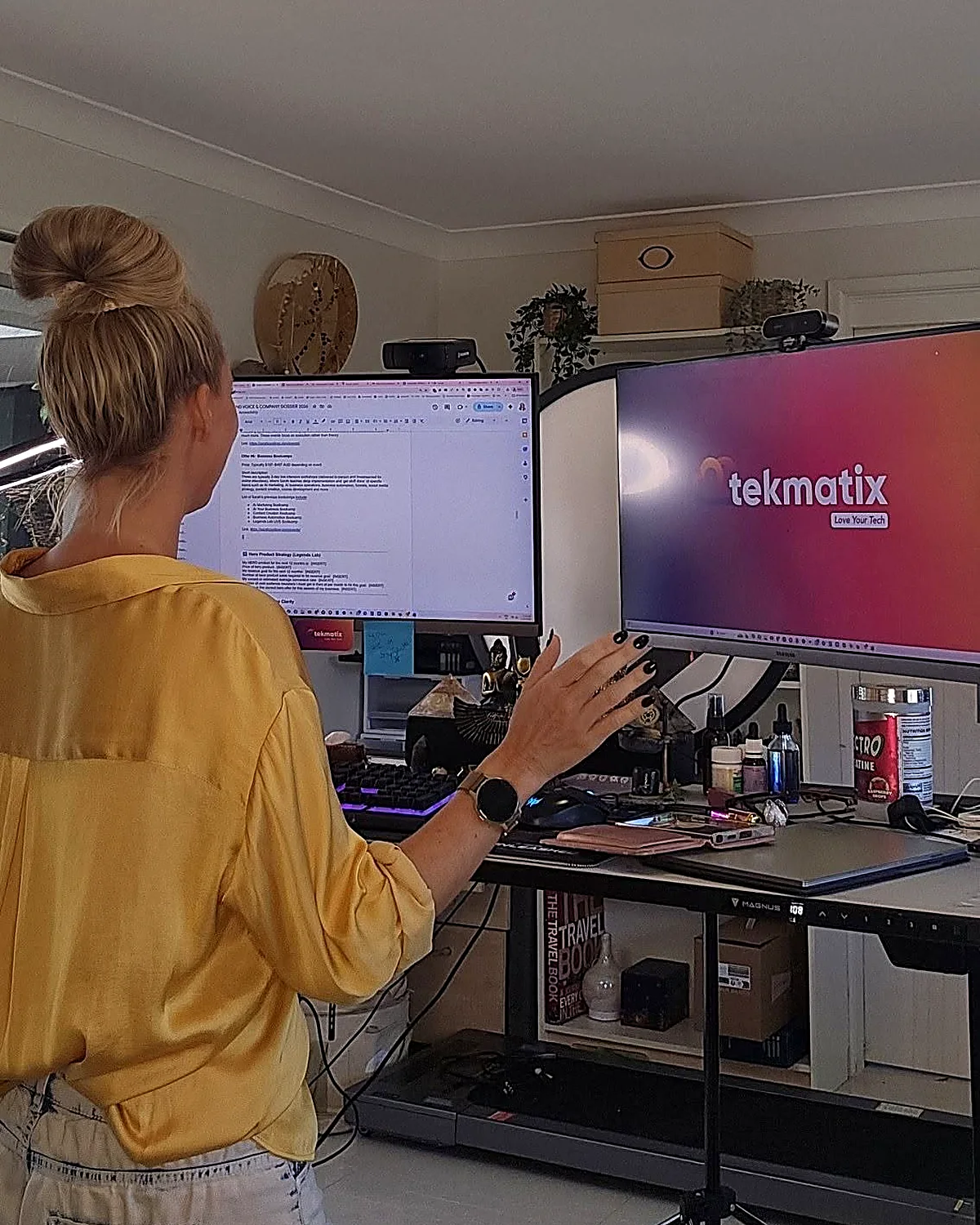
Sarah Cordiner at her desk showing the Tekmatix platform on screen
I built it.
I run my business on it.
1,000+Businesses in Australia and 30+ countries
  • 5.0 on Google from 100+ reviews
  • 98% recommended on Facebook
  • 1,000+ businesses in 30+ countries
  • Award-winning 24/7 support
  • 3 free live training calls every weekday
  • Replace $500 to $1,000+ a month in subscriptions
Sound familiar?

Eight logins. Eight bills. Zero of them talking.

Most business owners I meet are paying for a website here, an email tool there, a booking app, a course platform, a CRM they never open... and then paying someone to glue it all together with duct tape and Zapier.

  • 1Leads fall through the cracks because your forms, inbox and CRM live in different places.
  • 2Every new tool means another login, another bill and another thing to learn.
  • 3You can't see what's actually working because your data is scattered across ten dashboards.
What Tekmatix replaces
Website and hostingWix / Squarespace / GoDaddy
$30+/mo
Sales funnelsClickFunnels / Leadpages
$99+/mo
CRMHubSpot / Salesforce
$50+/mo
Email marketingMailchimp / ActiveCampaign
$40+/mo
Booking calendarCalendly / Acuity
$20+/mo
AI chat and voice agentsVarious
$99+/mo
Social media schedulerHootsuite / Buffer
$30+/mo
Courses and membershipsKajabi / Teachable / Thinkific
$150+/mo
All of it, in TekmatixPlans from $150 AUD / $97 USD a month
The full feature list

Everything your business runs on, under one roof.

Tekmatix is an all-in-one CRM, marketing, sales, course and AI platform. Here's what's inside, grouped by the job it does for you. Tap a category to filter, or scroll the lot.

The bit everyone asks about

AI that does the work

Hand the repetitive stuff to AI that already knows your contacts, calendar and offers.

  • AI Employees that answer chats, DMs and enquiries 24/7
  • Voice AI receptionist that answers your phone and books calls
  • AI booking bot on your website chat widget
  • AI Studio to build apps and tools by describing them (vibe coding)
  • Ask AI assistant built into your account
  • AI website and funnel builder plus content and image AI
  • Connects to Claude and ChatGPT via MCP, so your AI can work inside Tekmatix

Get found and grow your list

Everything you need to get seen, capture leads and build your audience.

  • Unlimited websites with free hosting and your own domains
  • Unlimited funnels, landing pages, sales pages and opt-ins
  • 100+ ready-made templates for sites and funnels
  • Blogging with unlimited posts
  • Social media planner with auto-posting
  • Forms and quizzes, unlimited
  • Surveys with conditional logicPro
  • Reviews and reputation management, incl. Google Business Profile
  • Link-in-bio pages and QR codes

Nurture and convert

Turn strangers into clients with automated follow-up that never forgets.

  • CRM with unlimited contacts and full client records
  • Unified inbox for email, SMS, Facebook and Instagram DMs
  • Email marketing with automated newsletters
  • SMS and phone, incl. missed-call text back
  • Unlimited workflows and automations
  • Sales pipelines so you see every deal
  • Booking calendars for individuals, teams and groups, with 2-way sync
  • Advanced reporting on ads, calls, courses and lead sourcesPro

Sell and get paid

Take money online, in person and on autopilot. Payments go straight to your Stripe or PayPal.

  • Checkouts with upsells and order bumps
  • Invoicing: one-off, recurring and payment plans
  • Tap to pay on your phone (EFTPOS)
  • Request payments by SMS
  • Products and e-commerce, digital and physical, plus coupons
  • Proposals, quotes and contracts with e-signaturesPro
  • Affiliate program with unlimited affiliatesPro
  • Event management with QR code ticketingPro

Courses, memberships and community

Built especially for course creators, educators and coaches. (It's where I teach my own students.)

  • Unlimited courses and memberships
  • Unlimited students and video hosting
  • Assessments and quizzes inside your courses
  • Student mobile app in your branding
  • Communities and groups, unlimitedPro
  • Course certificatesPro

Run the business

The behind-the-scenes admin, organised and in one place for your whole team.

  • Project management and Kanban boards
  • Task manager with deadlines and tracking
  • Unlimited staff users with permission controls
  • Admin mobile app for Apple and Android
  • Business card scanner
  • Integrations with Zapier, Make, WordPress, Google and more
  • Up to 5 sub-accounts for your other businessesMax
ProIncluded on Pro and Max plansMaxMax plan onlyEverything else is included from Starter up.

Want to see it with your own eyes?

Start a 7-day free trial and a Tekspert will jump on a free set-up call with you.

Who it's for

If you sell your expertise or your services, it's built for you.

Solo operators, growing teams and multi-business owners all run on Tekmatix. Here's where it shines brightest.

01

Coaches, course creators and educators

Your website, sales pages, checkout, courses, membership, community and email, all connected. Tekmatix was made especially for you.

02

Consultants, speakers and experts

Bookings, proposals, contracts, invoices and follow-up that makes you look like a big firm, even if it's just you.

03

Health, allied health and NDIS providers

Online bookings, reminders, reviews and client records for clinics, therapists and practitioners.

04

Tradies and local service businesses

Missed-call text back, quotes, tap to pay and review requests, so you win the job while you're still on the tools.

05

Studios, salons and personal trainers

Class bookings, memberships, payments and reminders that cut the no-shows and the admin.

06

Agencies, associations and multi-business owners

Pipelines, staff permissions, reporting and (on Max) up to 5 sub-accounts to run several brands from one login.

Business ownersCoachesCourse creatorsConsultantsTherapistsNDIS providersMedical and allied healthLegal and financial professionalsTradiesSalonsYoga studiosPersonal trainersPhotographersDesignersMarketing agenciesRecruitersOnline storesEvent organisersChurchesCharitiesBusiness associations

Honest moment: if you only need one simple tool and you're genuinely happy juggling logins, you probably don't need Tekmatix yet. But the minute you're copying leads from one app to another, or paying for five subscriptions that don't talk to each other, it's time.

You're never on your own

Most software gives you a login. We give you a team.

I'm an educator first, so Tekmatix was built education-first. Every plan comes with real humans, real training and real templates to get you up and running fast.

Day one

Free one-on-one set-up call

A Tekspert jumps on a call with you to set up your account and connect your integrations.

24/7

Award-winning live chat

Stuck at 11pm? Real support, any time of day or night.

Every weekday

3 free live training calls

Drop in, share your screen and get your questions answered live.

Included

Starter kit and training library

Ready-made templates and automations, a step-by-step help centre, video tutorials and a free Tekmatix training course.

Rather someone just did it for you?

Teksperts are available by the hour, plus fixed-price done-for-you set-up and migration from your old platforms.

See Tekmatix services →
Plans and pricing

Simple pricing that doesn't punish growth.

Unlimited contacts on Starter and Pro, so your bill doesn't jump every time your list grows. Pay in AUD or USD, monthly or yearly (pay yearly and get a month free).

Starter
$150 AUD / month
or $97 USD / month

Everything you need to market, sell and deliver, in one place.

  • Unlimited contacts, staff users and courses
  • Websites, funnels, CRM, email and bookings
  • Payments, invoicing and tap to pay
  • AI Agents, AI booking bot, AI Studio and Ask AI
  • 24/7 live chat and a free set-up call
Start 7-day free trial
Best for course creators Pro
$230 AUD / month
or $149 USD / month

Everything in Starter, plus the tools to build a community and scale.

  • Communities, groups and course certificates
  • Event management with QR ticketing
  • Your own affiliate program
  • Proposals, contracts and e-signatures
  • Unlimited surveys and advanced reporting
Start 7-day free trial
For multi-business owners Max
$497 AUD / month
or $349 USD / month

Everything in Pro, plus more AI, more accounts and a strategist in your corner.

  • Up to 5 sub-accounts
  • AI Employee Growth plan included: 1,000 AI conversation replies and 100 voice AI minutes a month
  • Monthly 60-minute strategy call with a senior Tekspert
  • Early access to Tekmatix Labs
Book a demo

Just starting out? The Launch plan is $75 AUD ($50 USD) a month for up to 1,000 contacts. No lock-in contracts.

Chat about the Launch plan

Emails, SMS, phone calls and AI usage are pay-as-you-go and billed in USD, so you only pay for what you use. See the full rates at tekmatix.com/rebilling. Prices current as at September 2026. Always check tekmatix.com/pricing for the latest.

Sarah Cordiner teaching a funnel diagram on a whiteboard
280,000+Students taught in 181 countries
A note from the founder

I didn't build software. I built the toolbox I needed.

Founder and CEO, Tekmatix20+ years in businessPostgraduate qualified educator

After 20+ years in business and more than 280,000 students, I kept seeing the same thing. Brilliant people with brilliant expertise, drowning in tech. Paying for ten tools, using two of them, and spending their evenings on YouTube trying to make them talk to each other.

So I put everything a business needs into one platform, then wrapped it in the thing I know best: education and support. Tekmatix runs my own websites, courses, funnels, emails and AI agents every single day. I wouldn't recommend it if I didn't use it.

Sarah x

Want me to teach you how to get the most out of it?

Inside the Legends Lab I show you step by step how to use tech, AI and automation to grow your business, with live calls, workshops and templates you can copy.

Join the Legends Lab
Don't just take my word for it

Non-techie people love their tech again.

Tech is hard for non-techie people, and they really get that and make it fun.
Forging Ahead CoachingFacebook review
Yesterday I felt overwhelmed. Now I feel excited and empowered.
Melanie GleesonGoogle review
I have used a number of top CRM systems. This is up there with the very best.
Peter J CroneyFacebook review
Solved problems I have had for weeks, in 50 minutes. Wonderful.
Nicole TurnbullGoogle review
5.0Google rating, 100+ reviews
98%Recommended on Facebook
1,000+Businesses
30+Countries
The rest of my toolkit

The other tools I use and actually recommend.

Tekmatix is the engine. These are the extras that plug in around it for AI, video, design, content and admin. Tap a category to filter.

Some of these are affiliate links, which means I may earn a small commission at no extra cost to you. Thanks for supporting the brand!

AITop pickClaude CoWorkAI agent for non-developers that works across your files, email and apps to automate tasks on your desktop.Check it out → AITop pickChatGPTAI assistant for content, research, brainstorming and custom GPTs for your team.Check it out → AIGoogle GeminiGoogle's multimodal AI assistant, built into Google Workspace.Check it out → AIGoogle AI StudioTest prompts and build with Google's AI models, free to start.Check it out → AIManusAutonomous AI agent that researches and completes multi-step tasks for you.Check it out → AIGensparkAI search and research engine that builds answers from multiple sources.Check it out → AILovableAI app builder. Describe the web app you want in plain English and it builds it.Check it out → Video and audioTop pickDescriptEdit video and podcasts by editing the transcript. Plus screen recording.Check it out → Video and audioCapCutMobile-friendly video editing for Reels, TikToks and short-form content.Check it out → Video and audioTop pickHeyGenAI avatar videos with your own custom scripts and voice.Check it out → Video and audioElevenLabsRealistic AI voiceovers and voice cloning.Check it out → Video and audioSubmagicAI short-form video editing: auto captions, effects and b-roll.Check it out → Video and audioTop pickStreamYardLivestream and multistream to your socials, webinars and virtual events.Check it out → Video and audioLoomQuick screen recordings for tutorials, SOPs and async updates.Check it out → Video and audioCamtasiaScreen recording and video editing for polished course videos.Check it out → Video and audioPodcast.coPodcast hosting and distribution to all the major platforms.Check it out → Design and contentTop pickCanvaDesign for non-designers: social graphics, slides, marketing material and more.Check it out → Design and contentTop pickGammaAI presentation builder for slides, documents and simple web pages.Check it out → Design and contentEnvato ElementsCommercial-use music, video, b-roll, photos and templates.Check it out → Design and contentCreative FabricaFonts, graphics and design assets for your content.Check it out → Design and contentGoogle WhiskGoogle's AI image tool for generating and remixing images.Check it out → Design and contentAdCreative.aiAI-generated ad creatives for your paid campaigns.Check it out → Design and content1of10Viral content research: find the top-performing ideas in your niche.Check it out → Design and contentSyllabyAI social media strategy with video scripts and content ideas for your niche.Check it out → Design and contentTubeBuddyYouTube channel growth, SEO and optimisation.Check it out → ProductivityTop pickMakeVisual automation to connect your apps and build advanced workflows.Check it out → ProductivityOtter.aiRecords, transcribes and summarises your meetings automatically.Check it out → ProductivityWispr FlowAI voice-to-text. Dictate into any text box on your computer.Check it out → ProductivityGoogle WorkspaceEmail, docs, sheets, calendar and team collaboration.Check it out → ProductivityHunter.ioFind business email addresses for B2B outreach.Check it out → ProductivityStunningRecovers failed Stripe payments automatically.Check it out → Money and adminStripePayment processing. Connects to Tekmatix for courses, products, memberships and payment plans.Check it out → Money and adminPayPalConnects to Tekmatix so customers can pay with PayPal.Check it out → Money and adminXeroAccounting for invoicing, payroll, BAS and tax reporting.Check it out → Money and adminAppSumoLifetime deals on software and business tools.Check it out → Money and adminFiverrFreelancers for one-off design, writing and tech jobs.Check it out → Books and publishingPublisher RocketAmazon KDP keyword and category research for authors.Check it out → Books and publishingBookBoltKDP and low-content book publishing research and design.Check it out → Books and publishingMy gear listThe cameras, mics and lighting I recommend, on Amazon.Check it out →

Wondering where the email, booking, course, funnel and CRM tools are? I don't need them any more. Tekmatix does all of that, so I'd rather you didn't pay for them twice.

See what Tekmatix covers ↑
Questions I get asked

Tech stack FAQs.

Still wondering if Tekmatix is right for you? Here are the straight answers.

What is Tekmatix?

Tekmatix is an all-in-one AI business platform. It brings your website, funnels, CRM, email marketing, bookings, payments, courses, memberships, communities, social media scheduling and AI agents together in one connected account, so everything talks to each other.

Do I need to be techy to use it?

No. Tekmatix was built for non-techie business owners. You get a free set-up call, 24/7 live chat, three free live training calls every weekday, a help centre, video tutorials and ready-made templates to get started.

Is there a free trial?

Yes. The Starter and Pro plans come with a 7-day free trial. The Max plan starts with a demo, so the team can make sure it's the right fit.

Can I pay in Australian dollars?

Yes. You can pay your subscription in AUD or USD. Usage charges for emails, SMS, calls and AI are pay-as-you-go and always billed in USD. See tekmatix.com/rebilling for rates.

Will my price go up as my list grows?

No. Starter and Pro include unlimited contacts, so your plan price doesn't increase as your business grows. You also get unlimited courses, students and staff users.

Can you move me off my current platforms?

Yes. Tekmatix Teksperts offer fixed-price migration and done-for-you set-up services, or can help you integrate the tools you want to keep. See tekmatix.com/services.

Can I run courses, memberships and communities in it?

Yes. Tekmatix was made especially for course creators, educators and coaches. Courses and memberships are included on every plan, and communities and certificates come with Pro and Max.

Which plan should I choose?

Starter suits most service businesses and solo experts. Pro is best if you run courses with a community, events, contracts or an affiliate program. Max is for people running more than one business or who want more AI and a monthly strategy call. Not sure? Book a demo.

Your move, legend

Stop juggling your tech. Start loving it.

One login. One bill. One platform that runs your marketing, sales, courses and AI, with a real team behind you. Try it free for 7 days and see how much simpler business gets.

7-day free trial on Starter and Pro / Free set-up call / Cancel anytime

See you inside. Sarah x
Latest Articles by Sarah Cordiner